EasyManua.ls Logo

Vivitar 690HD - Initial Camera Setup; Charging the Battery; Installing the Memory Card

Vivitar 690HD
57 pages
Print Icon
To Next Page IconTo Next Page
To Previous Page IconTo Previous Page
Loading...
6
Initial Camera Setup
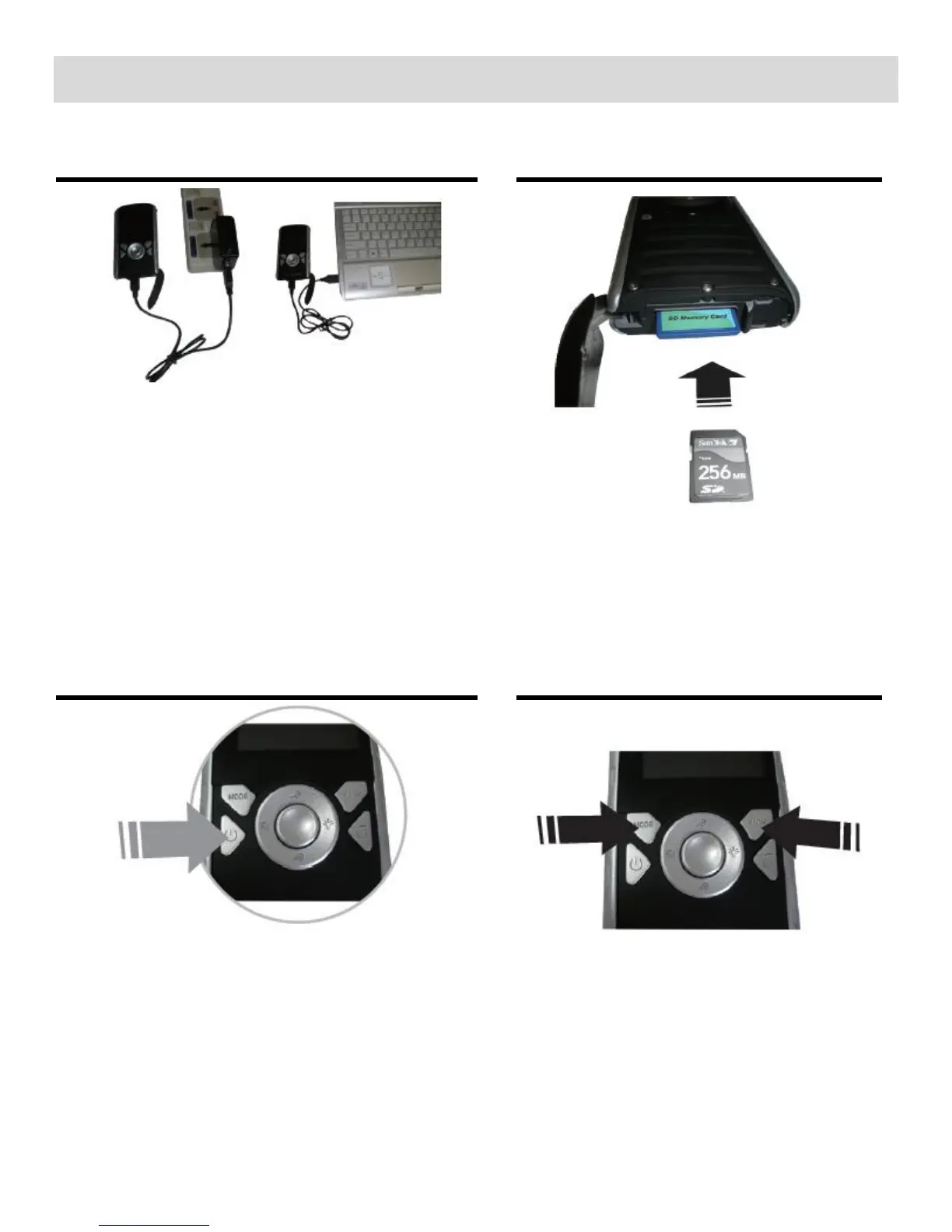
Charging the Battery
To Charge the Battery:
1. Power off the camera.
2. Connect the camera with the USB cable
to the AC Charger or to the computer (as
shown above).
3. Allow the battery to charge for at least 3
hours before using the first time.
4. The charge light will turn off when the
battery is fully charged.

Turning On the Camera
Selecting
the modes
Accessing
the menu
SD Memory card
(up to 32GB) needed for normal use.
SDHC Class 4 (or higher)
recommended.

Related product manuals