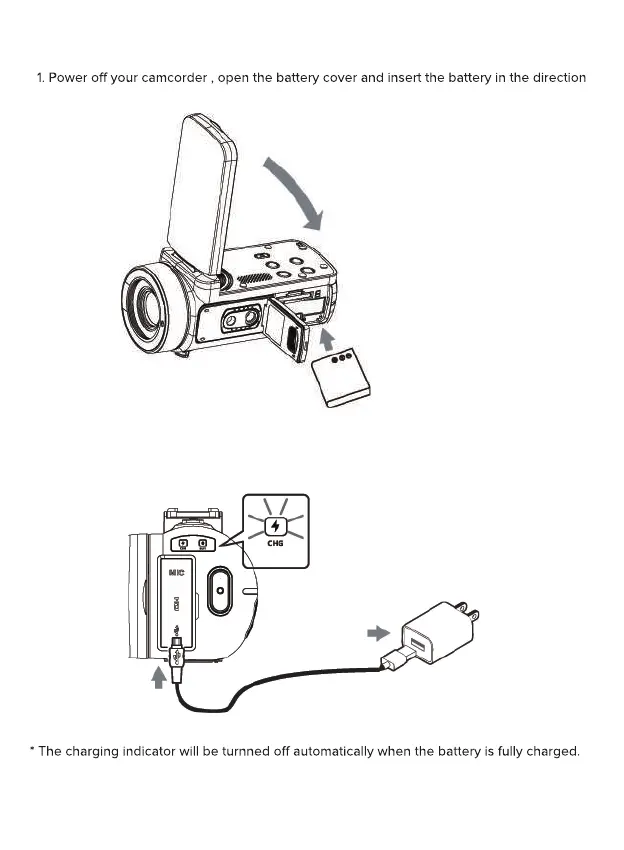
Charging the battery
as the shown of following picture, then close the battery cover.
2. You can use supplied USB cable to charge your camcorder via a adapter(5V/1A~5V/2A)
or connect to PC directly.
* The charging indicator will be turnned on in red when the battery is in charging.
Normally it takes around 4-6 hours to full charging of the battery.
When the battery is fully charged, the battery life is around 70 minutes for recording
(Reference test data based on turn o the Wi-Fi).
charging
indicator


 To Next Page