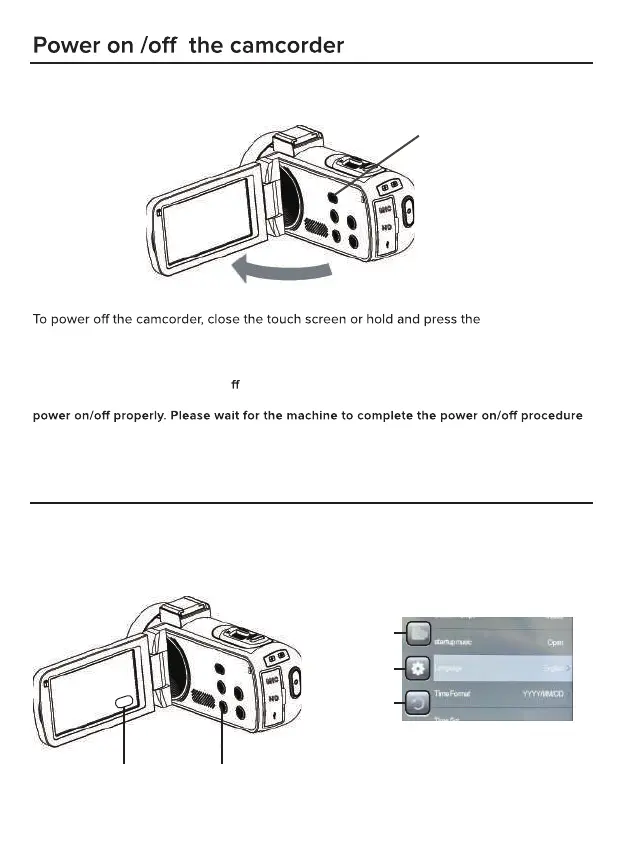
Open the touch screen, the camcorder will be powered on automatically.
You can also power on the camcorder by pressing the Power/OK/IR Night button.
Power/OK/IR Night
button for 3 seconds.
Notes:
open/close the touch screen twice in this reaction time, it may cause the camcorder can not
before operating the machine again.
Power button
Set the camcorder
You can make custom settings of the camcorder.
After power on the camcorder, tap the Menu icon of the screen or press the Menu button to
open the menu.
It takes 5 seconds to power on/o the camcorder by openning the touch screen. If you
Tap the screen OR Press the MENU button
Menu Section
Submenu
for current mode
System settings
Exit the menu


 To Next Page