Playback Mode
The Playback mode allows you to review and delete photos and videos that you’ve captured with
you camcorder.
When you first turn on the camcorder, the camcorder will be in Capture mode by default.
Entering the Video Playback Mode:
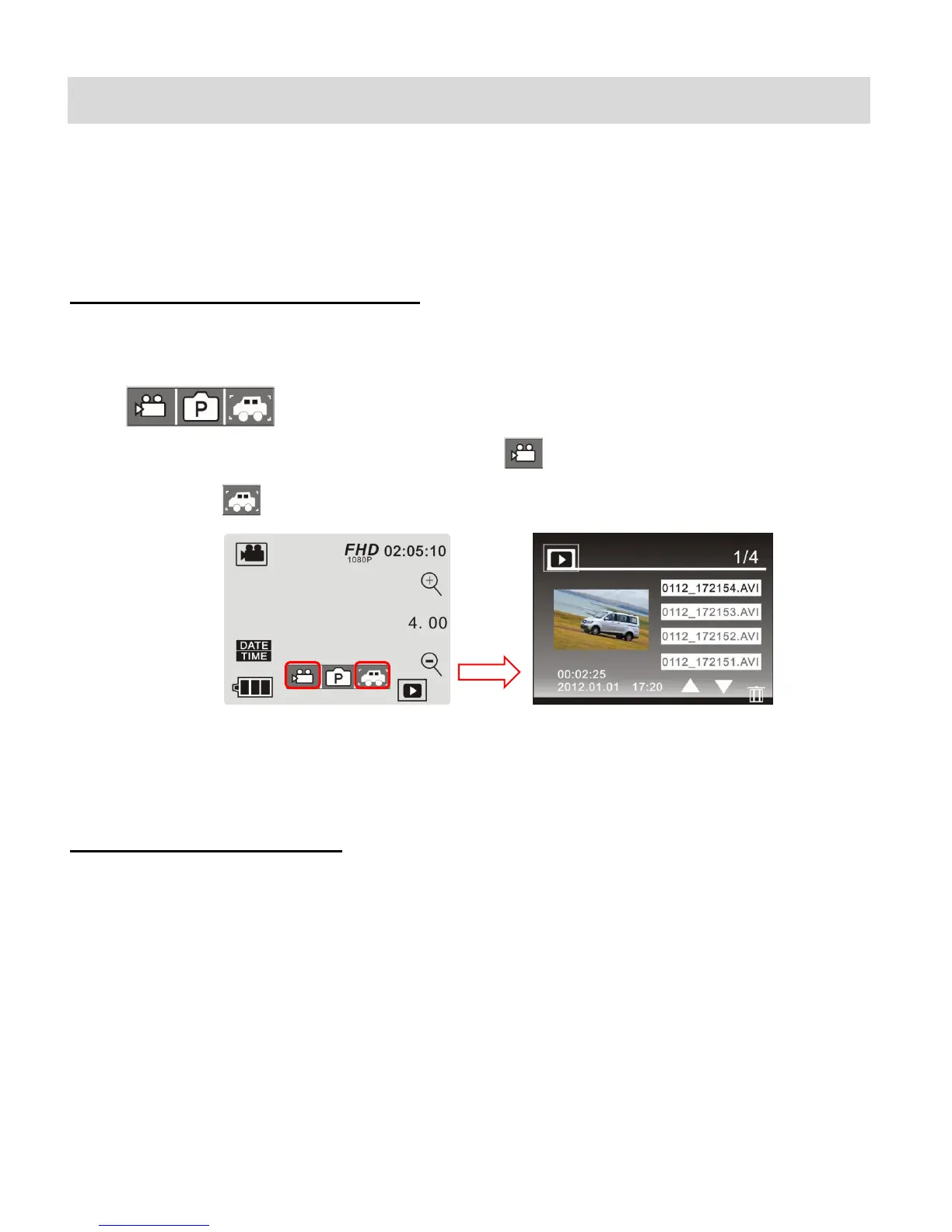
1. From Photo, Video, or Vehicle Mounted Video Capture Mode touch the Playback Mode
icon on the bottom, right of the LCD screen to open the Playback Menu Icons
.
2. Touch either of the Video Capture Mode icon or the Vehicle Mounted Video Capture
Mode Icon to open the Video File List for the selected Video type.
3. Touch a File Name to select and automatically play the video.
Exiting the Playback Mode:
Touch the Playback icon to return to Video Capture Mode.



 To Next Page