Charging the Battery
Make sure the built-in lithium battery has been fully charged before using your camcorder.
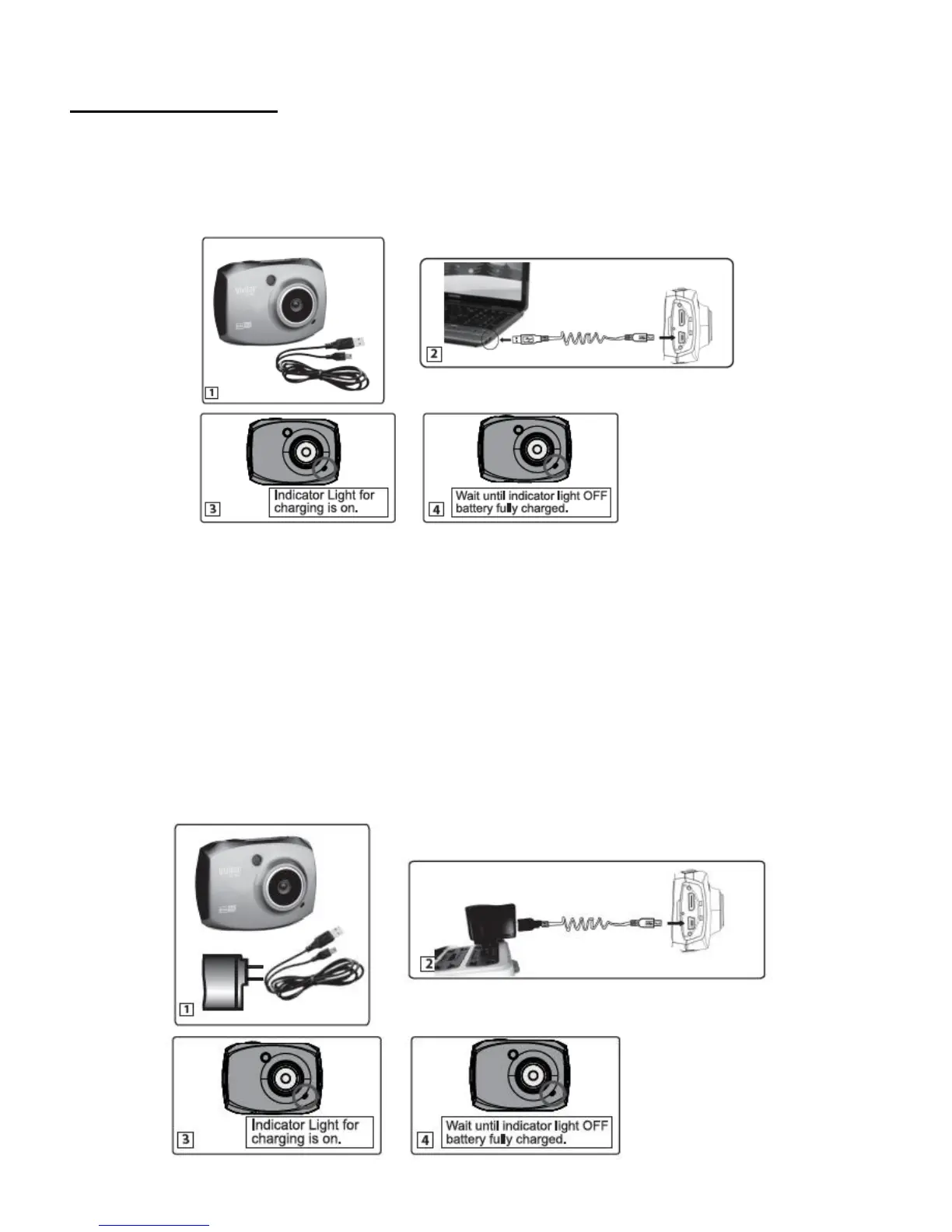
To charge the battery, follow one of the steps below:
A. Charge the battery using the supplied USB connection cable and your computer.
1. Power off the camcorder.
2. Connect the smaller end of the USB cable into the USB slot on your camcorder
Connect the other end of the USB cable to the USB port on your computer. (See
figure 2)
3. The charge light will turn off when the battery is fully charged. (See figures 3 and 4)
B. Charge the battery using the supplied USB cable and the supplied AC Adapter.



 To Next Page