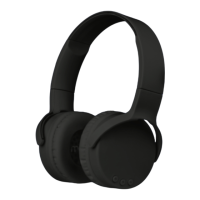
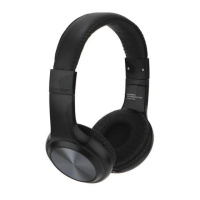
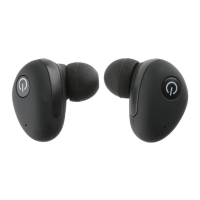
This document is the user manual for the Muze Active Noise Cancelling TWS Earbuds, item MUZ3010, by Vivitar.
Function Description:
The Muze Active Noise Cancelling TWS Earbuds are designed for wireless music streaming and call management. They feature Active Noise Cancelling (ANC) technology to reduce ambient noise and a transparency mode to allow users to hear their surroundings. The earbuds come with a charging case that facilitates charging and storage. Users can pair the earbuds with their phone or other Bluetooth devices to enjoy music wirelessly.
Important Technical Specifications:
- Bluetooth Specification: V5.0
- Bluetooth Range: Up to 30 feet
- Power Supply: DC 5V/400mA
- Charging Time: 2 Hours (for the earbuds and charging case)
- Play Time: 5 Hours (applicable at 50% of maximum volume; results will be lower when volume is higher)
- Battery: Integrated lithium battery (non-replaceable)
Usage Features:
- Power On/Off: The earbuds turn on automatically when taken out of the charging case. To turn an earbud off manually, after its LED indicator alternately flashes red and blue, quickly press the multi-function button five times.
- Bluetooth Pairing:
- Take the earbuds out of the charging case.
- On your phone, go to the Bluetooth settings page.
- Ensure Bluetooth is turned on.
- Connect to the available device named "MUZ3010".
- Music Playback Controls:
- Play/Pause: Press either earbud's multi-function button once.
- Next Track: Press the left earbud's multi-function button twice.
- Previous Track: Press the right earbud's multi-function button twice.
- Increase Volume: Press the left earbud's multi-function button three times.
- Decrease Volume: Press the right earbud's multi-function button three times.
- Active Noise Cancelling (ANC) and Transparency Mode: Press and hold either earbud's multi-function button for two seconds to toggle Active Noise Cancelling On/Off and turn on transparency mode.
- Call Management:
- Answer Incoming Call: Press either earbud's multi-function button once.
- End Call: Press either earbud's multi-function button once during a call.
- Decline Incoming Call: Press and hold either earbud's multi-function button for two seconds.
- Charging:
- Charging Case: Connect the included USB-C charging cable to the charging port on the side of the case and a wall adapter (not included) or computer. The charging case's LED indicator will flash blue while charging, and all four lights will illuminate solid blue when charging is complete.
- Earbuds: Place the earbuds into the charging case. The earbud's LED indicator will illuminate red when charging and turn off when charging is complete.
Maintenance Features:
- Cleaning: Never use harsh chemicals or detergents to clean the exterior of the earbuds and charging case.
- Manual Reset:
- Turn Bluetooth off on your phone to disconnect the earbuds.
- Take one earbud from the charging case. After its LED indicator alternately flashes red and blue, quickly press the multi-function button five times to turn the earbud off.
- Repeat this process for the second earbud.
- Once both earbuds are reset, place them back into the charging case. They will be ready to use when taken out again.
- Disposal: Please recycle or dispose of the earbuds and charging case properly based on local laws and rules. Contact local recycling facilities or the manufacturer for further information. The integrated lithium battery cannot be removed or replaced. Do not dispose of in fire, expose to excessive heat, crush, puncture, incinerate, or short circuit external contacts.
Safety Precautions:
- Adult supervision is required for children using the earbuds and charging case.
- Avoid contact with water or wet surfaces.
- Do not expose to excessive heat, fire, or direct sunlight, or temperatures above 100°F.
- Handle the earbuds and charging case gently; avoid dropping, throwing, or exposing them to extreme physical force.
- Do not use in extremely dry environments to prevent static discharge.
- Do not tamper with the electrical housing of the charging case.
- Do not attempt to repair the product yourself; contact a qualified service center if service is needed.
- The product is not intended for commercial use.
- Keep away from objects that generate strong magnetic fields.
Warranty:
Vivitar offers a One Year Warranty covering defects in material or workmanship under normal usage. Damages or malfunctions from non-normal use, unauthorized repairs, tampering, modification, or accidents are not covered. To obtain warranty service, contact 1-800-592-9541 or visit www.vivitar.com. Proof of purchase is required.

 Need help?

 To Next Page
 General