EasyManua.ls Logo

Vivitar ViviCam S1527 - User Manual

Vivitar ViviCam S1527
57 pages
Print Icon
To Next Page IconTo Next Page
Loading...
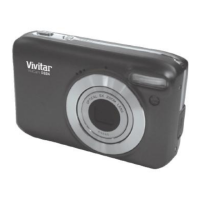
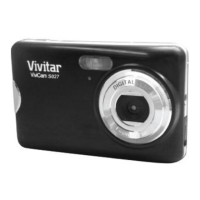
ViviCam S1527
Digital Camera
User Manual
© 2009-2012 Sakar International, Inc. All rights reserved.
Windows and the Windows logo are registered trademarks of Microsoft Corporation.
All other trademarks are the property of their respective companies.

Questions and Answers

  • S
    Stacey BlankenshipAug 14, 2025
    How to fix a Vivitar ViviCam S1527 Digital Camera that won't turn on?
    • M
      mario33Aug 14, 2025
      If your Vivitar Digital Camera does not power on, it could be due to a couple of reasons. Either there are no batteries inserted or the batteries are not inserted correctly. In this case, insert the batteries correctly. Another possibility is that the batteries have no power. If this is the case, replace the batteries.
  • J
    Judith McdanielAug 17, 2025
    What to do if my Vivitar ViviCam S1527 does not shoot?
    • R
      rachel54Aug 17, 2025
      If your Vivitar Digital Camera is not shooting even when you press the shutter button, several factors could be at play: 1. The batteries may be running low, so try replacing them. 2. Ensure the camera is in Capture mode; if not, switch to it. 3. Make sure to press the Shutter button all the way down. 4. The internal memory or memory card may be full; either load a new card or delete unwanted files. 5. If the flash is recharging, wait until the flash mode icon on the screen stops flashing. 6. The camera might not recognize the memory card; format the memory card before its initial use or before using it with another camera.
  • T
    Tina JamesAug 21, 2025
    Why is my Vivitar Digital Camera flash making dark images?
    • M
      maddoxlaurenAug 21, 2025
      If images taken with your Vivitar Digital Camera's flash are too dark, it could be because the subject is too far away. To fix this, get closer to the subject and shoot.
  • C
    Christina LewisAug 25, 2025
    Why does the flash not fire on my Vivitar ViviCam S1527 Digital Camera?
    • C
      crystal69Aug 25, 2025
      If the flash on your Vivitar Digital Camera does not fire, ensure that the camera flash is not turned off. Set the flash to Auto Flash. It's also possible that the light source is already sufficient, in which case the flash may not be needed.
  • H
    Heather JohnsonAug 27, 2025
    Why are my Vivitar ViviCam S1527 Digital Camera images too bright or dark?
    • L
      lindagarciaAug 27, 2025
      If images from your Vivitar Digital Camera are too bright or too dark, the exposure may be excessive or inadequate. Reset exposure compensation to resolve this.
  • J
    Joshua HuntAug 30, 2025
    Why is the battery draining so fast on my Vivitar Digital Camera?
    • G
      Gina ThomasAug 31, 2025
      If the battery power of your Vivitar Digital Camera is draining quickly, it could be due to extremely low external temperatures or because many shots are being captured in dark places, requiring the flash.
  • A
    akingSep 3, 2025
    Why is the LCD screen black on my Vivitar ViviCam S1527 Digital Camera?
    • V
      vschneiderSep 3, 2025
      If the LCD screen on your Vivitar Digital Camera is black, check if the lens cover is on. If it is, remove the lens cover.
  • M
    Mr. Tyler McdowellSep 6, 2025
    What to do if Vivitar ViviCam S1527 Digital Camera beeps three times and shows no image?
    • D
      Donald ChenSep 6, 2025
      If no image is displayed on the screen of your Vivitar Digital Camera and the camera beeped three times, the lens cover might be on. Remove the lens cover.
  • M
    michael69Sep 9, 2025
    Why is my Vivitar ViviCam S1527 Digital Camera getting warm?
    • C
      Christine GloverSep 9, 2025
      If the batteries or camera of your Vivitar Digital Camera feel warm, it might be because the camera or flash was used continuously over a long period of time.

Summary

Introduction

Whats Included

A Quick Look at Your Camera

PARTS OF THE CAMERA

Diagram and labels for all camera components.

MULTI-FUNCTIONAL BUTTONS

Initial Camera Setup

Installing the Batteries

Instructions for inserting the required AA batteries.

Installing the Memory Card

Instructions for inserting the SD memory card.

INSTALLING THE SD MEMORY CARD

POWER ON

ATTACHING THE STRAP

Main Camera Modes

Photo Capture Mode

How to take still pictures with the camera.

Video Capture Mode

How to record videos with the camera.

Playback Mode (Photos & Videos)

How to view and manage captured media.

Camera Technical Specifications

Computer System Requirements

Powering the Camera On;Off

Changing Camera Mode

PHOTO CAPTURE MODE

Detailed steps for taking photos.

VIDEO CAPTURE MODE

PLAYBACK MODE

Navigating the Menus

ViviLink Feature

Photo Capture Mode

LCD ICONS AND DESCRIPTION

Explains icons displayed in Photo Capture Mode.

CAPTURING YOUR PHOTO

PHOTO CAPTURE MODE QUICK FUNCTION BUTTONS

Details the quick function buttons for photo capture.

Flash Mode

Opening the Flash

Instructions for manually opening the camera's flash unit.

Using the Flash

How to select and use different flash modes.

Flash Mode Options

FOCUS MODE

Auto focus

How the camera automatically adjusts focus.

Macro

Focus mode for close-up subjects.

Infinity

Focus mode for distant subjects.

SELECTING THE SHOOTING MODE

Using Aperture Priority Mode

Using Shutter Priority Mode

Using Manual Mode

Using Continuous Shooting Mode

Burst

Continuous shooting by holding the shutter button.

Speedy Burst

High-speed continuous shooting for VGA images.

Setting the Scene Mode

PHOTO CAPTURE MODE MENUS

Image Size Menu

How to select the resolution for captured images.

Image Quality Menu

Metering Menu

White Balance Menu

ISO Menu

Exposure Menu

Image Sharpness Menu

Color Effect Menu

Date Stamp Menu

Face Detect Menu

Video Capture Mode

LCD ICONS AND DESCRIPTION

Explains icons displayed in Video Capture Mode.

CAPTURING YOUR VIDEO

VIDEO CAPTURE MODE MENUS

How to access and use menus in Video Capture Mode.

Camera Settings

Silent Mode

Controls camera sounds like shutter and startup beeps.

Format Memory Card

How to erase all data from the memory card.

Default Setting

Resets camera settings to factory defaults.

Playback Mode

LCD ICONS AND DESCRIPTION

Explains information displayed in Playback Mode.

SELECTING AND VIEWING PHOTOS AND VIDEOS

Enlarging a Photo

How to zoom in and view photos in detail.

Playing a Video

How to play recorded video clips.

DELETING FILES

OPTIONS FOR PLAYBACK AND EDITING

Protecting files

How to lock files to prevent accidental deletion.

Slide Show

DPOF

Copy to Card

Color Effect

Rotate

Resize

Voice Memo

Startup Image

Photo Frame

Printing Images

Connecting the Digital Camera to an HDTV

Installing the Software

Connecting the Camera to the Computer

Getting Photos and Videos from the Camera to the Computer

Getting Started!

Transferring Images from the Camera to the Computer Manually

TRANSFERRING PHOTOS AND VIDEOS: WINDOWS OS

Manual transfer process for Windows users.

TRANSFERRING PHOTOS AND VIDEOS: MACINTOSH OS

TRANSFERRING PHOTOS AND VIDEOS: APPLE IPAD

Camera Maintenance

Sakar Warranty Card

Technical Support

Troubleshooting

Vivitar ViviCam S1527 Specifications

General IconGeneral
BrandVivitar
ModelViviCam S1527
CategoryDigital Camera
LanguageEnglish

Related product manuals