Need help?
Do you have a question about the Vivitek Qumi Q8 and is the answer not in the manual?
Copyright notice and general specifications disclaimer.
Manufacturer disclaims warranties and reserves the right to change content.
Recognition of HDMI and MHL trademarks and their owners.
Recommends careful reading of safety instructions for safe operation and longevity of the device.
Explains warning symbols and text styles used to convey important information.
Lists essential safety precautions for operating the Qumi projector.
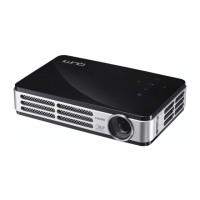
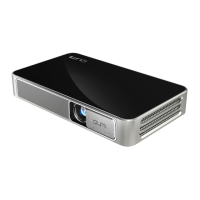
Provides a general overview of the Qumi projector and its main components.
Explains the buttons on the Qumi's top panel and their respective functions.
Lists external devices and peripherals required for connecting to and operating the Qumi projector.
Describes the Qumi User Interface, its ease of use, and its five main functions.
Details how to access and navigate the Qumi's On-Screen Display (OSD) settings.
Explains how to use the remote control or keypad to move through and adjust OSD settings.
Provides instructions and warnings for cleaning the Qumi projector to ensure proper operation.
Guides on how to safely clean the projector's optical lens using appropriate solutions.
States compliance with FCC rules for digital devices and potential interference issues.
Confirms compliance of the digital apparatus with Canadian ICES-003 standards.
Lists various safety certifications obtained by the Qumi projector.
Advises on proper disposal of electronic waste in accordance with local laws.
 General
| Native aspect ratio | 16:9 |
|---|---|
| Projection distance | 1.33 - 4 m |
| Projection technology | DLP |
| Contrast ratio (typical) | 30000:1 |
| Screen size compatibility | 40 - 120 \ |
| Projector native resolution | 1080p (1920x1080) |
| Keystone correction, vertical | -30 - 30 ° |
| Keystone correction, horizontal | -10 — 10 ° |
| Noise level | 34 dB |
| Noise level (economic mode) | 31 dB |
| RMS rated power | 2 W |
| Audio formats supported | ADPCM, MP1, MP2, MP3, OGG, WAV, WMA |
| Image formats supported | BMP, JPEG |
| Video formats supported | AVI, DAT, MKV, MOV, MP4, MPEG, MPG, TS, VOB, WMV |
| Number of built-in speakers | 1 |
| Light source type | LED |
| Service life of light source | 30000 h |
| Focus | - |
| Offset | 110 % |
| Throw ratio | 1.5:1 |
| Fixed focal length | 15.8 mm |
| Focal length range | - mm |
| Product type | Standard throw projector |
| Product color | Black, White |
| Market positioning | Portable |
| Built-in display | No |
| Power source | AC |
| AC input frequency | 50 - 60 Hz |
| AC adapter output voltage | 100 - 240 V |
| Power consumption (standby) | 0.5 W |
| Power consumption (typical) | 55 W |
| Power consumption (economy mode) | 45 W |
| USB 2.0 ports quantity | USB 2.0 ports have a data transmission speed of 480 Mbps, and are backwards compatible with USB 1.1 ports. You can connect all kinds of peripheral devices to them. |
| Cables included | AC, HDMI |
 Weight and Dimensions
| Depth | 114 mm |
|---|---|
| Width | 190 mm |
| Height | 43 mm |
| Weight | 621 g |


 To Next Page