6
STEP 2: Installing Columns to the Base
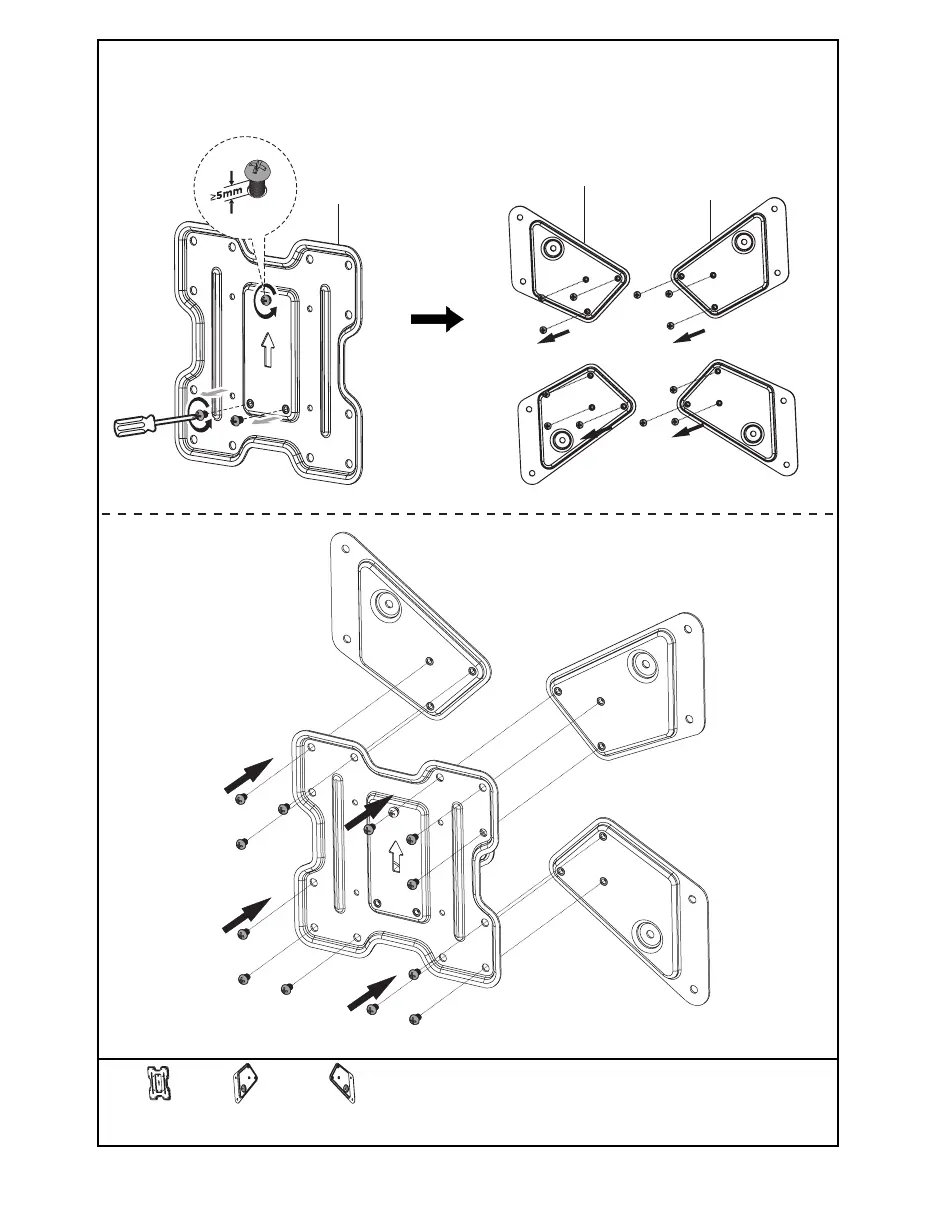
Remove the two bottom screws from the VESA Plate (B) and set aside for later use. Loosen the
top screw leaving at least 5mm of threads exposed. Remove the screws from VESA Adapters
(E, F). Align VESA Adapters (E, F) with VESA Plate (B) and assemble, using screws previously
removed from VESA adapters (E, F).
B (x1)
VESA Plate
E (x2)
VESA Adapter
F (x2)
VESA Adapter
B
E
F



 To Next Page