7
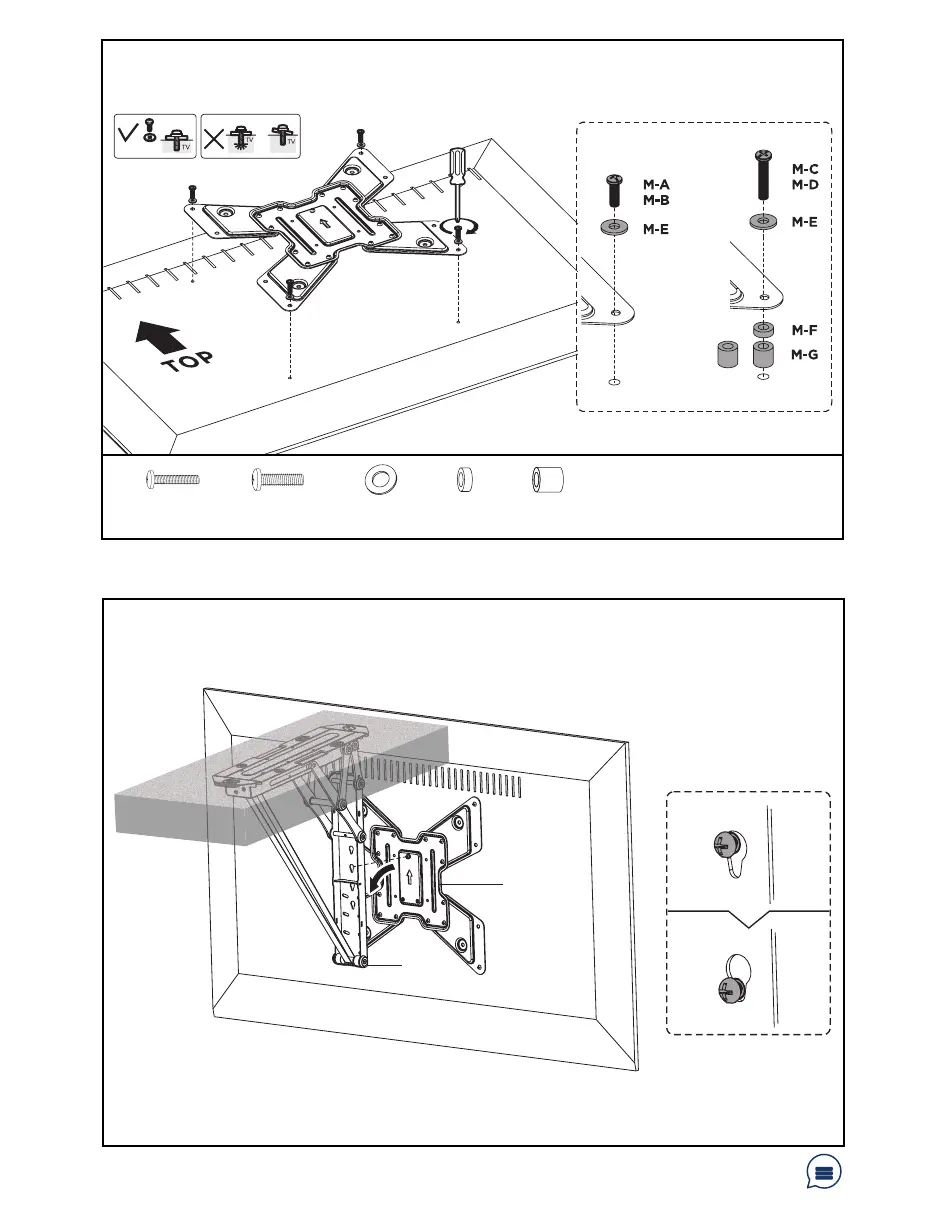
STEP 3: Installing the VESA Plate
STEP 4: Mounting the TV
OPTION B: Curved/Recessed Back TV
Align the VESA plate assembly with the mounting holes in the back of the TV screen. Install VESA
plate to TV using appropriate screws and washers according to your screen type.
M-C (x4)
M6x30mm Screw
Hang VESA Plate (B) on Mount (A) by inserting the attached screw on VESA Plate (B) into the
Mount (A) keyhole.
Have a question? Give us a quick call / chat!
309-278-5303 or vivo-us.com
M-D (x4)
M8x30mm Screw
M-F (x4)
Small Spacer
M-G (x4)
Large Spacer
M-E (x4)
M8 Washer
B
A



 To Next Page