9
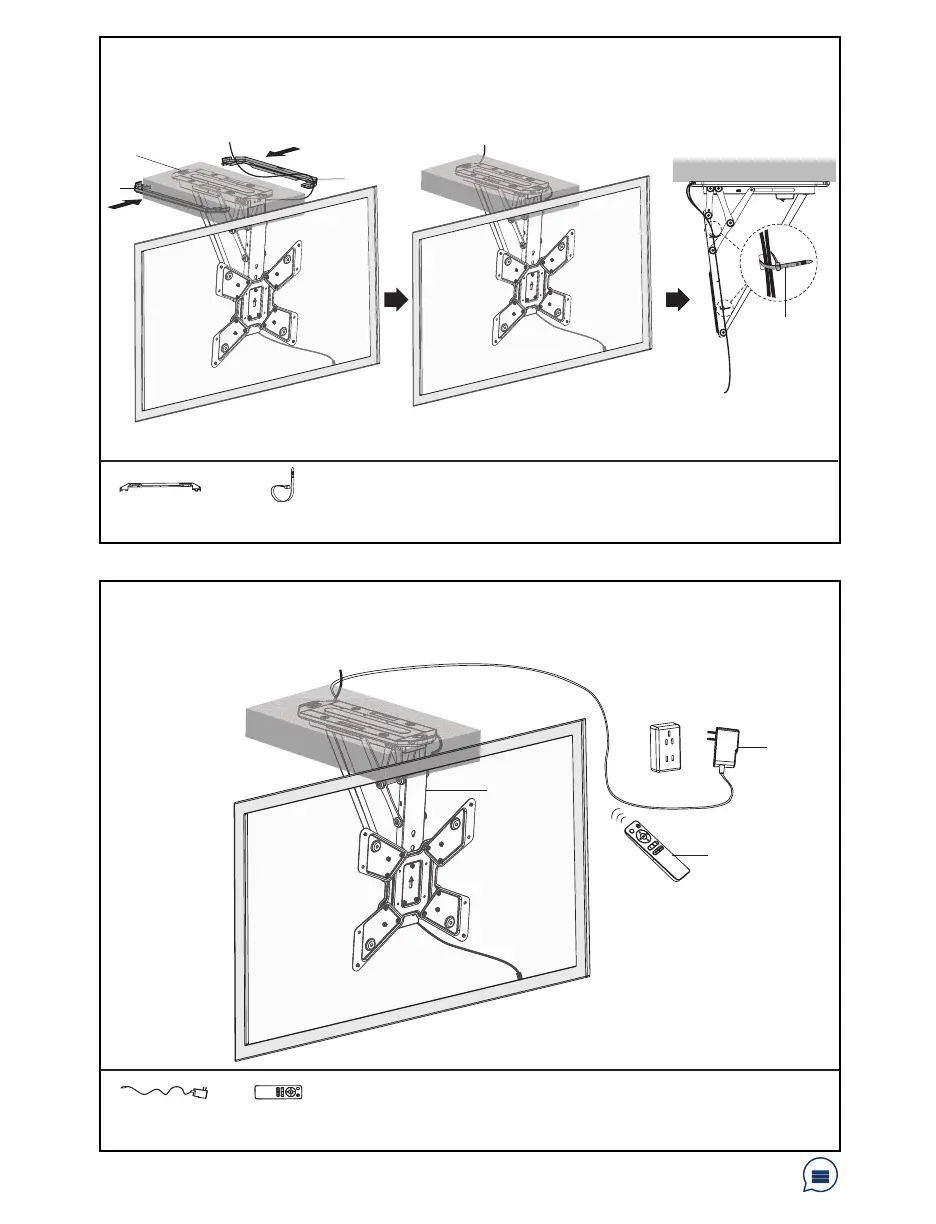
STEP 5: Cable Managment
STEP 6: Cable Management
Run cables along edge of Mount (A). Allow slack in cables for arm movement. Place Decorative
Covers (D) over cables and snap into place. Using Cable Ties (I), fasten cables.
NOTE: Keep cables clear from arm to avoid damage due to pinching.
Plug AC Adapter (G) into Mount (A), and connect to an AC outlet. Use the Remote Cotrol (H)
manual for operating instruction. NOTE: Plugging AC Adapter (G) into an AC outlet prior to
Mount (A) may cause a large spark when connecting to the mount.
Have a question? Give us a quick call / chat!
309-278-5303 or vivo-us.com
D (x2)
Decorative Cover
I (x4)
Cable Tie
G
A
H
G (x1)
AC Adapter
H (x1)
Remote Control
D
D
A
I



 To Next Page