Need help?
Do you have a question about the Vivo STAND-TV03W and is the answer not in the manual?
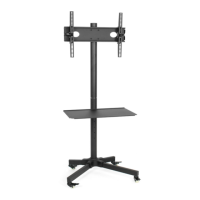
Attach wheels to the long and short square tubing using the provided wrench.
Attach square tubing to the tube connector using M6x60 Allen head bolts and M6 socket plates.
Attach base poles to the tube connector and pole connectors to the tops of base poles.
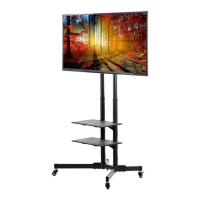
Slide tube connector cover over base poles and fit top poles into pole connectors.
Slide square plate connectors onto poles and attach the square plate with bolts.
Clip bubble level onto square plate and secure TV arm set to television mounting holes.
Attach the TV arm set to the square plate and tighten safety bolts to secure the television.
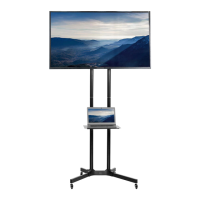
Repeat leveling adjustments and run cables through pole covers for wire management.
Attach shelf supports to bottom poles and shelf to supports using bolts and set screws.
 General
| Category | Outdoor Cart |
|---|---|
| Model | STAND-TV03W |
| Brand | Vivo |
| Weight Capacity | 110 lbs |
| Material | Steel |
| Adjustable Height | Yes |
| Color | Black |
| Assembly Required | Yes |
| Mobility | Yes |
| Wheel Type | Locking Casters |


 To Next Page