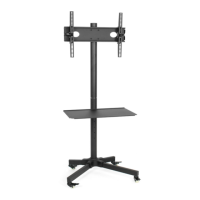
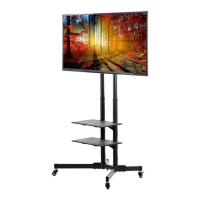
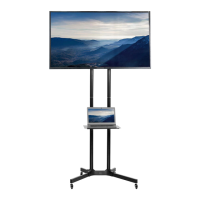
This document is an instruction manual for the VIVO Black Mobile TV Cart, SKU: STAND-TV07W. It provides detailed assembly steps, safety warnings, and contact information for customer support.
Function Description:
The VIVO Black Mobile TV Cart is designed to provide a portable and adjustable solution for mounting a television. It allows users to easily move their TV between different locations and adjust its height and tilt for optimal viewing. The cart is suitable for various environments, including homes, offices, classrooms, and conference rooms. Its mobile design enhances flexibility, making it easy to reposition the TV as needed without dismounting.
Important Technical Specifications:
- Weight Capacity: The cart has a maximum weight capacity of 44 lbs (19.96 kg). Exceeding this limit can result in serious injury or damage.
- VESA Compatibility: The cart supports VESA mounting patterns. For TVs with VESA mounts at 200mm x 200mm or 200mm x 100mm, VESA adapters (G, H) are required. The manual also details options for VESA plate only and VESA plate with adapters, accommodating various TV sizes and mounting configurations.
- Tilt Adjustment: The TV mount offers a tilt adjustment range of -3° to +3° and an additional +30° adjustment, allowing users to find the perfect viewing angle and reduce glare.
- Materials: The cart appears to be constructed from durable materials, likely steel, given the use of bolts, nuts, and washers for assembly, ensuring stability and longevity.
- Mobility: Equipped with four wheels (E, F), the cart offers easy mobility. Two of the wheels are locking wheels (F) to secure the cart in place when desired.
Usage Features:
- Easy Assembly: The manual provides clear, step-by-step instructions with illustrations for assembly, making the process straightforward for users. Tools needed include a Phillips screwdriver and a wrench (an adjustable wrench or 17mm/11/16" wrench is recommended for tightening wheels, as the included wrench may not be sufficient for this specific task).
- Adjustable Height: While not explicitly detailed in terms of specific height ranges, the design of the center pole (C) suggests adjustable height, allowing the user to position the TV at a comfortable viewing level. The process involves securing the VESA plate to the pole at the desired height.
- Mobile Design: The inclusion of wheels allows for effortless movement of the TV cart, providing flexibility in placement. The locking wheels ensure the cart remains stationary when needed.
- VESA Plate Options: The manual outlines two main options for attaching the VESA plate to the TV:
- Option A: VESA Plate Only: For TVs that can directly attach to the VESA plate without adapters, using M-A or M-B bolts with M-E washers.
- Option B: VESA Plate with Adapters: For TVs with specific VESA patterns (e.g., 200x200mm or 200x100mm), requiring the use of VESA adapters (G, H) secured with M5x10mm bolts (J) and M5 lock nuts (K), followed by attaching the assembly to the TV using M-A to M-D bolts with M-E or M-F washers. Spacers (M-G) may be required for curved televisions.
- Tilt Adjustment: Users can adjust the tilt of the mounted TV by loosening and tightening nuts on the VESA plate, allowing for optimal viewing angles and glare reduction.
- Cable Management (Implied): While not explicitly stated, the design of the center pole often includes features for cable management, helping to keep wires tidy and out of sight, contributing to a cleaner setup.
Maintenance Features:
- Regular Inspection: The "WARNING!" section emphasizes checking for missing or defective parts and ensuring proper installation. This implies a need for periodic inspection to maintain safety and functionality.
- Proper Tightening: The assembly steps highlight the importance of tightening bolts and nuts securely using the provided or recommended tools. This ensures the stability of the cart and prevents loosening over time, which could lead to safety hazards.
- Tipover Prevention: The "TIPOVER WARNING" section provides crucial maintenance advice:
- Never allow children to climb, stand, hang, or play on any part of the TV or TV cart.
- Use tipover restraint or anchor the stand to a wall. This is a critical safety measure to prevent serious or fatal crushing injuries.
- Part Replacement: The customer support information indicates that VIVO is happy to replace damaged or defective parts, suggesting that components can be replaced if they wear out or break, extending the lifespan of the product.
- Cleaning: Although not explicitly mentioned, general maintenance for such a product would involve regular cleaning with a soft, dry cloth to remove dust and maintain its appearance. Avoid harsh chemicals that could damage the finish.
The manual also provides comprehensive customer support information, including email (help@vivo-us.com), website (www.vivo-us.com), live chat, and phone number (309-278-5303), with specified operating hours (Monday-Friday, 7:00 am-7:00 pm CST). It highlights average response and resolution times, emphasizing VIVO's commitment to customer service. The inclusion of a QR code and URL for helpful videos and specifications further enhances the user experience by providing additional resources.

 Need help?
 General

 To Next Page