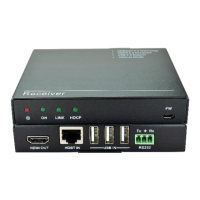
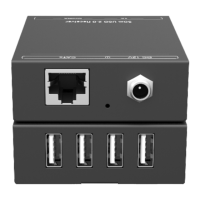
4K Optical Fiber Extender
2
Receiver:
Connection:
The figure below illustrates a typical connection that can be utilized with
VLHDMIEXTDGL100:
Step1. Insert the transmitter into the HDMI port of a HDMI source device (e.g. a PC).
Step2. Connect the OUT port of the transmitter to the IN port of the receiver with an
optical fiber cable.
Step3. Insert the receiver into the HDMI port of a HDMI sink device (e.g. a monitor).
Step4. Plug DC 5V power adapters to the USB ports of both the transmitter and the
receiver.
Note: Connect the transmitter/ receiver with HDMI source/ sink directly or through a
HDMI cable.
2
PWR LED: illuminate when powered up
3
LINK LED: Illuminate when connecting
Transmitter and Receiver module.
4
USB: Insert a DC 5V 1A power adapter
here
5
IN: Connect with OUT of Transmitter
module.


 To Next Page
 Loading...