2
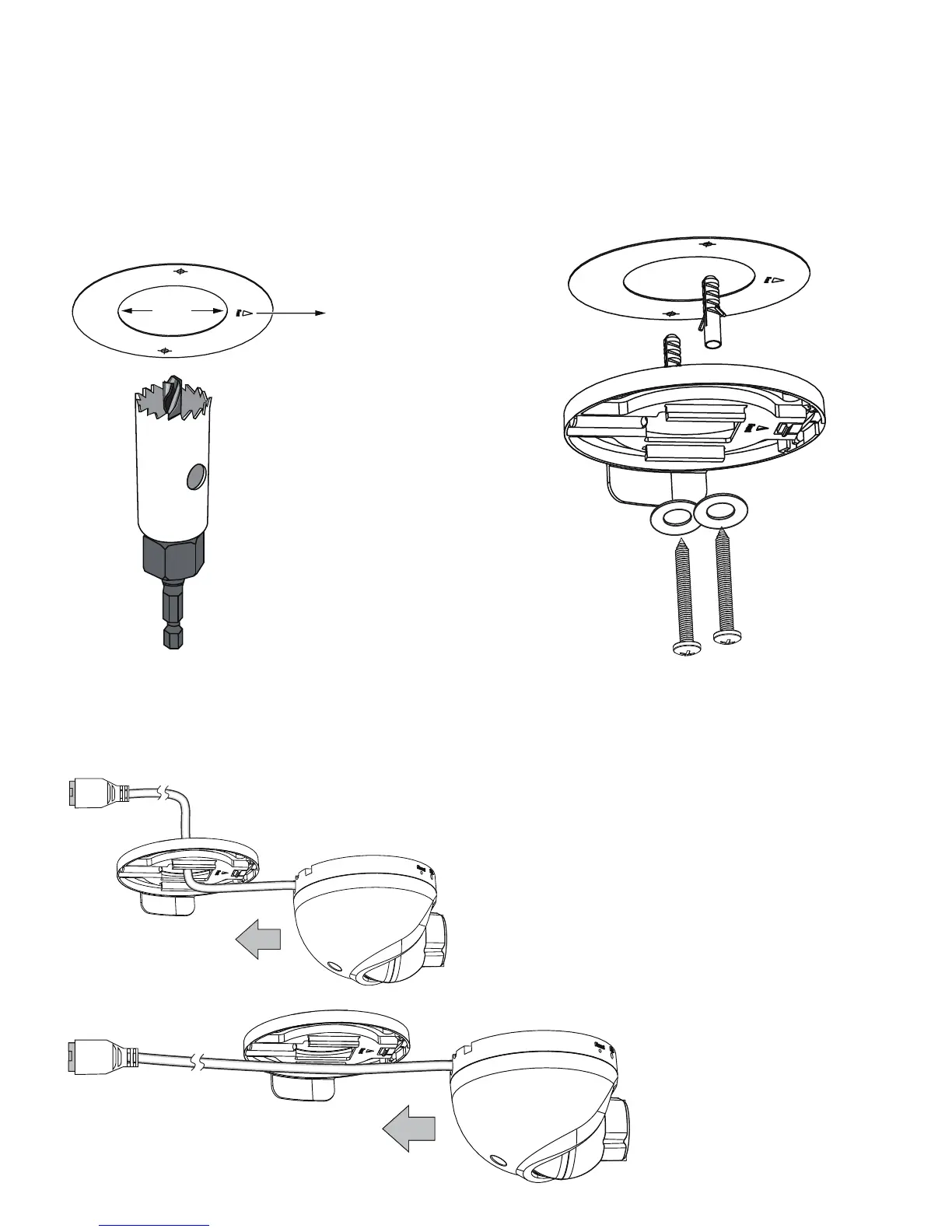
30mm
Front mark
Ceiling Mount Procedure:
1. Attach the alignment sticker to
a preferred location, with the
Front mark facing the shooting
direction.
3. Install the mount bracket
using the self-tapping
screws.
2. Drill a 30mm cabling
hole if preferred.
4. Pass the Ethernet cable through the cabling hole or along the
wall.
5. Join the camera with the mount bracket by
sliding it along the grooves to t into place.
Mount
bracket



 To Next Page