VIVOTEK
User's Manual - 113
Add media
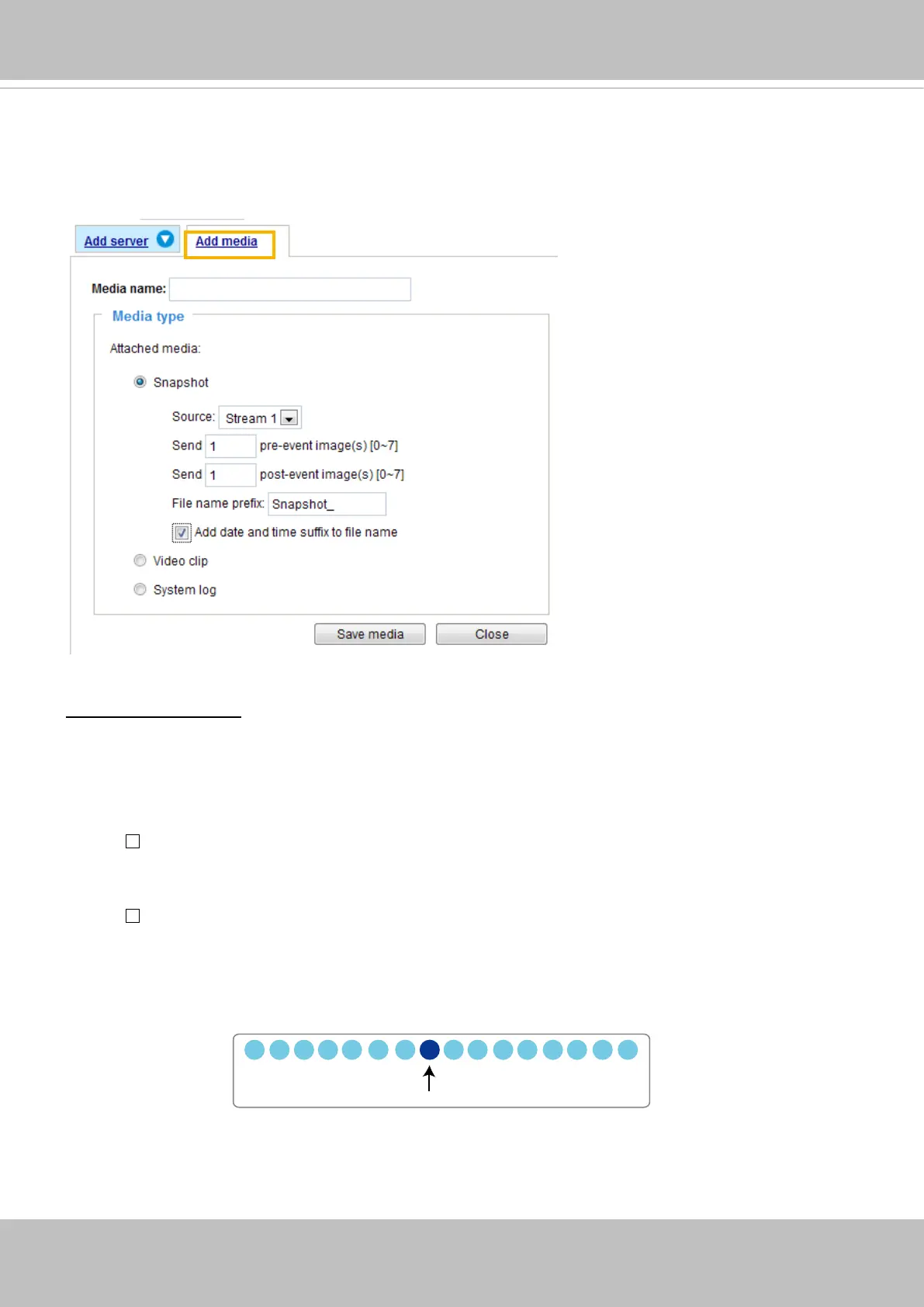
Click
Add media
to open the media setting window. You can specify the type of media that will be
sent when a trigger is activated. A total of 5 media settings can be congured. There are three choices
of media types available: Snapshot, Video Clip, and System log.
Select the item to display the detailed
conguration options. You can congure either one or all of them.
Media type - Snapshot
Select to send snapshots when a trigger is activated.
■ Media name: Enter a name for the media setting.
■ Source: Select to take snapshots from any of the video streams.
■ Send
pre-event images
The Network Camera has a buffer to temporarily hold data up to a certain limit. Enter a number to
decide how many images to capture before a trigger is activated. Up to 7 images can be generated.
■ Send
post-event images
Enter a number to decide how many images to capture after a trigger is activated. Up to 7 images can
be generated.
For example, if both the Send pre-event images and Send post-event images are set to 7, a total of 15
images can be generated after a trigger is activated.
■ File name prex
Enter the text that will be appended to the front of the le name.
1 pic. 2 pic. 3 pic. 4 pic. 5 pic. 6 pic. 7 pic. 8 pic. 9 pic.
10 pic. 11 pic. 10 pic. 12 pic. 13 pic. 14 pic. 15 pic.
Trigger Activation


 To Next Page