VIVOTEK
14 - User's Manual
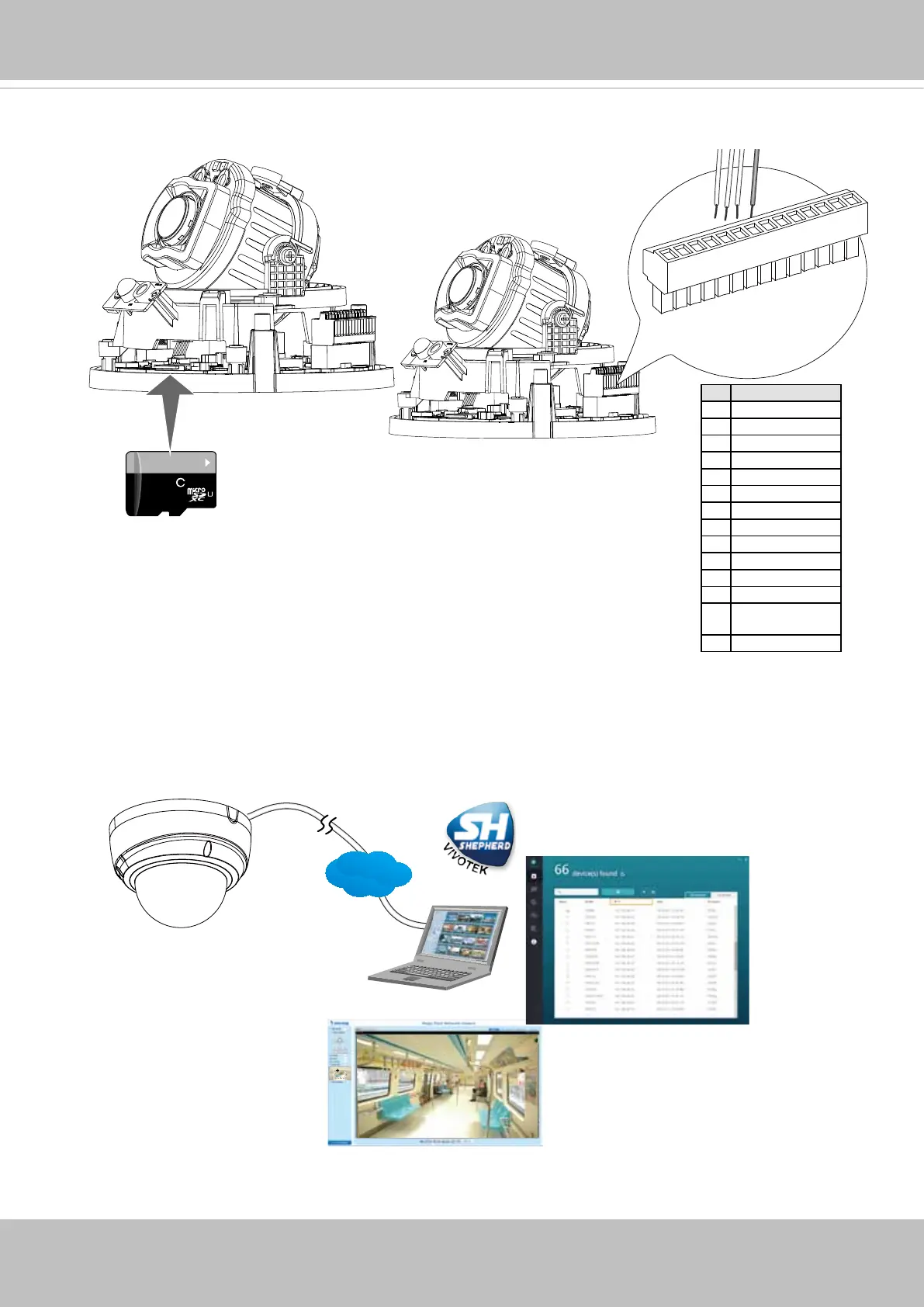
5. Install an SD card to the socket. Refer to the pinouts table below if DI/DO, audio, and
external power are preferred.
6. Please visit VIVOTEK’s website to Install the "Shepherd” software utility. The program
will search for VIVOTEK Video Receivers, Video Servers or Network Cameras on the
same LAN.
Double-click on the camera’s MAC address to open a web console with the camera.
Browser
LAN
Shepherd
64
GB
10
I
1
2
3
4
5
6
7
8
9
10
11
12
13
14
1
# Name
1 AC24V
2 AC24V
3 DC12V IN-
4 DC12V IN+
5 N/C
6 N/C
7 DI- (GND)
8 DI+
9 DO-
10 DO+ (5V)
11 EXT_MIC_GND
12 EXT_MIC_P
13 AUDIO_OUT_
GND
14 AUDIO_OUT_P





 To Next Page