VIVOTEK
108 - User's Manual
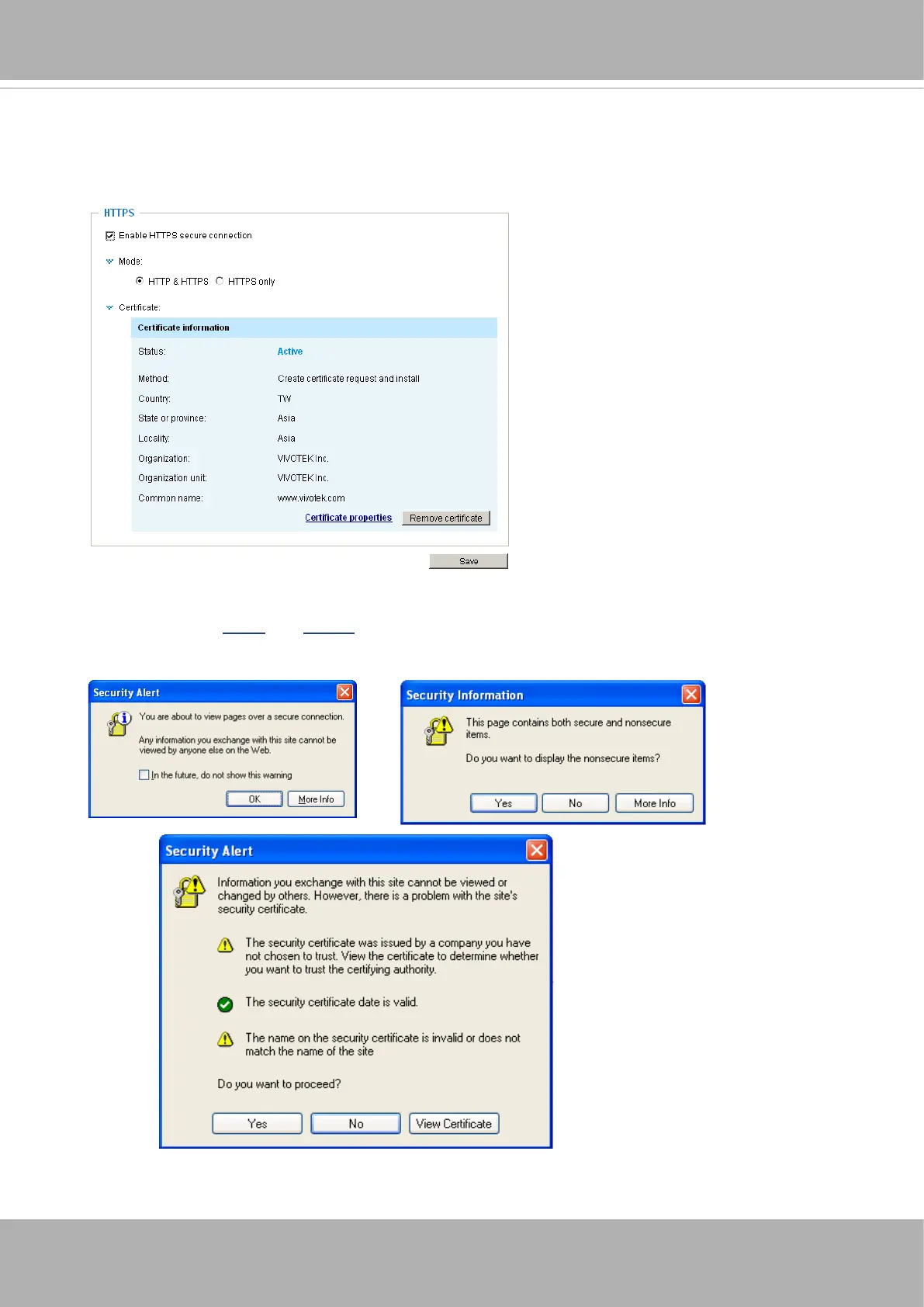
11. When the certifice file is successfully loaded, its status will be stated as
Active
.
Note that
a certicate must have been created and installed before you can click on the “
Save
"
button for the conguration to take eect.
12.To begin an encrypted HTTPS session, click
Home
to return to the main page. Change the URL
address from “http://” to “https://“ in the address bar and press
Enter
on your keyboard. Some
Security Alert dialogs will pop up. Click
OK
or
Yes
to enable HTTPS.















 To Next Page