VIVOTEK
68 - User's Manual
With the H.265 codec in an optimal scenario and when Dynamic Intra frame is combined with
the Smart Stream function, an 80% of bandwidth saving can be achieved compared with using
H.264 without enabling these bandwidth-saving features.
• Smart codec: Smart codec effectively reduces the quality of the whole or the non-
interested areas on a screen and therefore reduces the bandwidth consumed.
You can manually specify the video quality for the foreground and the background areas.
Select an operation mode if Smart codec is preferred.
- Auto tracking: The Auto mode congures the whole screen into the non-interested area.
The video quality of part of the screen returns to normal when one or more objects
move in that area. The remainder of the screen where there are no moving objects
(no pixel changes) will still be transmitted in low-quality format.
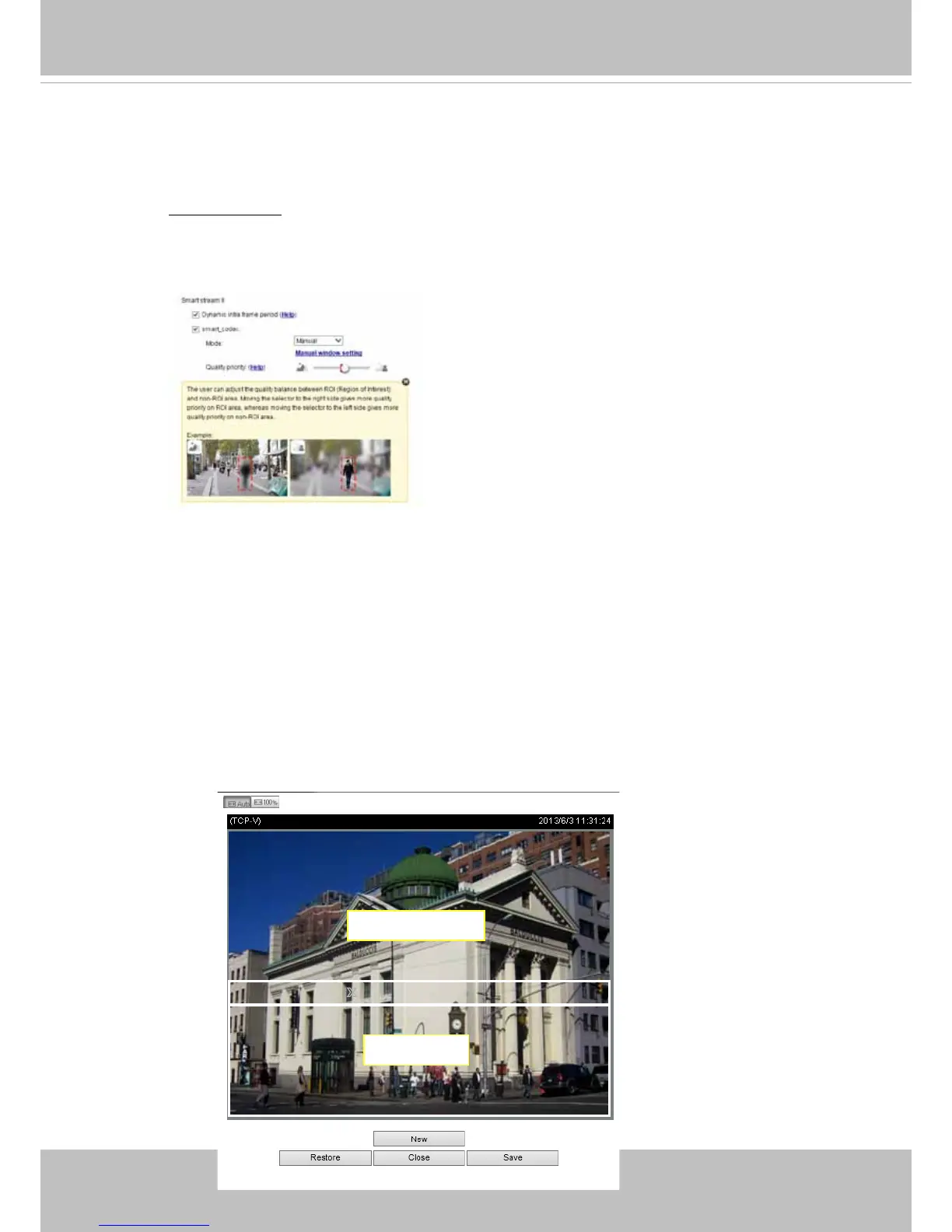
- Manual: The Manual mode allows you to congure 3 ROI windows (Region of Interest,
with Foreground quality) on the screen. Areas not included in any ROI windows
will be considered as the non-interested areas. The details in the ROI areas will be
transmitted in a higher-quality video format.
As illustrated below, the upper screen may contain little details of your interest,
while the sidewalk on the lower screen is included in an ROI window.
X
ROI_0
X
ROI_0
ROI
non-interested















 To Next Page