VIVOTEK
User's Manual - 113
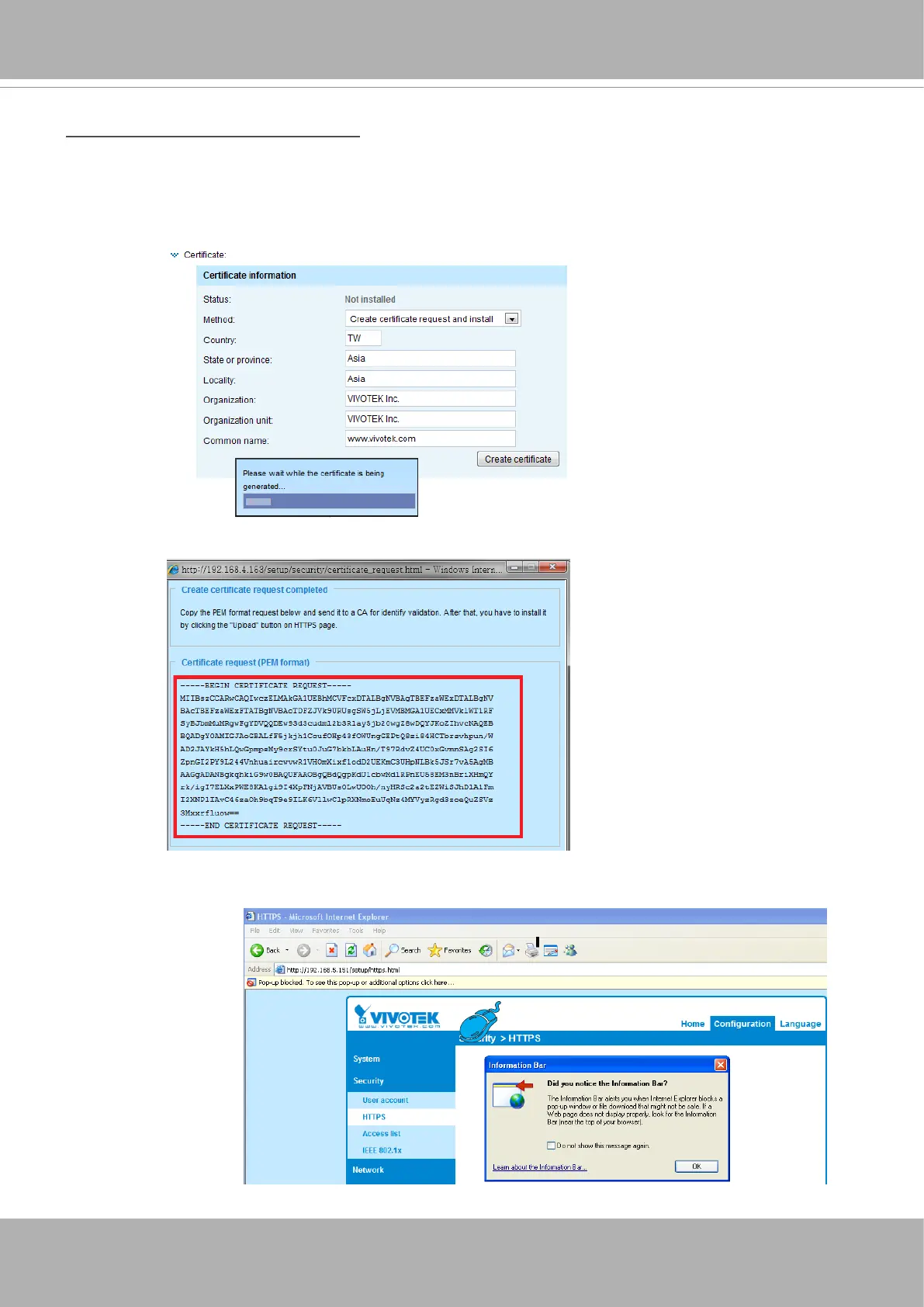
Create certificate request and install
1. Select the option from the
Method
pull-down menu.
2. Click
Create certicate
to proceed.
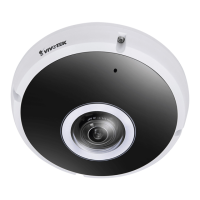
3. The following information will show up in a pop-up window after clicking
Create
. Then click
Save
to
generate the certicate request.
4. The Certicate request window will prompt.
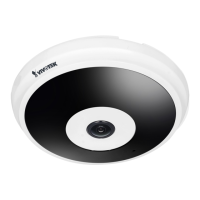
If you see the following Information bar, click
OK
and click on the Information bar at the top of the page
to allow pop-ups.



 To Next Page