VIVOTEK
12 - User's Manual
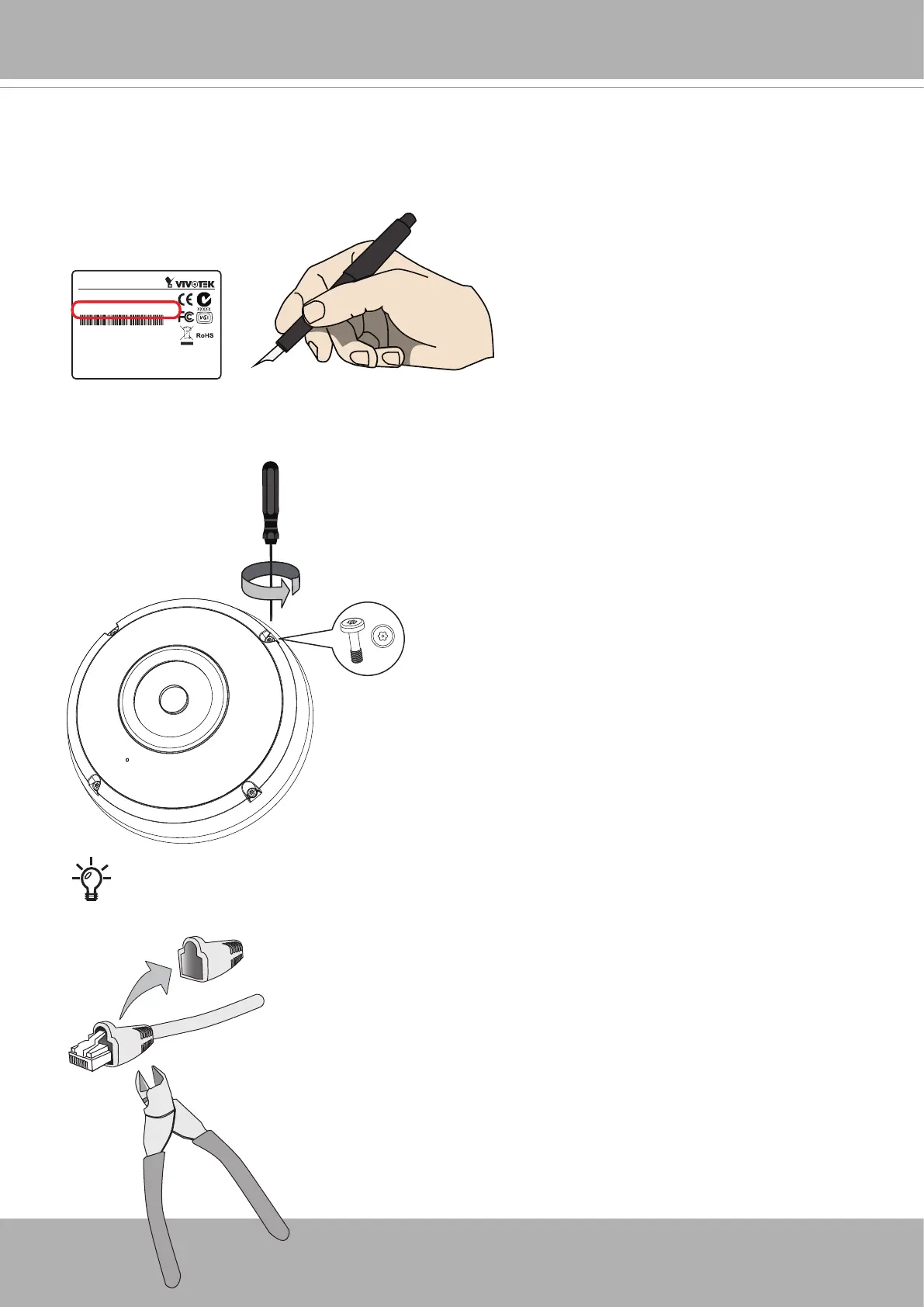
Please avoid using an Ethernet cable with a large relief boot. You may try to remove the
relief boot. If not possible, use a round cable without the relief boot.
Hardware Installation
1. Jot down the MAC address of the camera for later reference. This is especially important for
an installation consisting of many cameras.
Network Camera
Model No: XXXXXX
MAC: 0002D14BAD55
Pat. 6,930,709
This device complies with part 15 of the FCC Rules. Operation is subject to
the following two conditions:
(1) this device may not cause harmful interference, and
(2) this device must accept any interference received, including interference
that may cause undesired operation.
Made in Taiwan
2. Remove the dome cover by loosening the T10 anti-tamper screws.



 To Next Page