VIVOTEK
140 - User's Manual
When the Event Status is
ON
, once an event is triggered by motion detection, the Network Camera will
automatically send snapshots via e-mail.
If you want to stop the event trigger, you can click
ON
to turn it to
OFF
status or click
Delete
to remove a
previously-congured event setting.
To remove a server setting from the list, select a server name and click
Delete
. Note that only when the
server setting is not being applied to an event setting can it be deleted.
To remove a media setting from the list, select a media name and click
Delete
. Note that only when the
media setting is not being applied to an event setting can it be deleted.
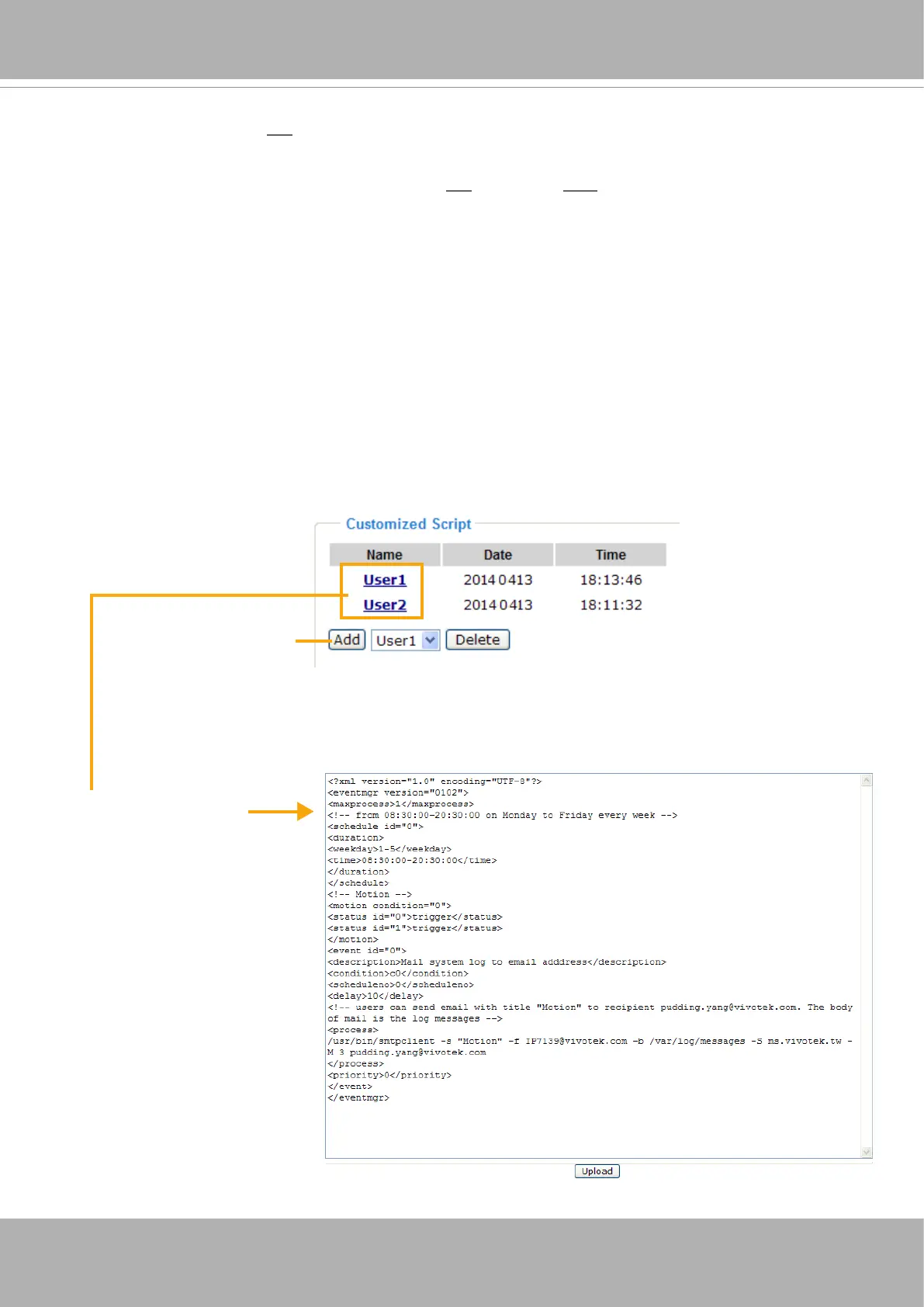
Customized Script
This function allows you to upload a sample script (.xml le) to the webpage, which will save your time on
conguring the settings. Please note that there is a limited number of customized scripts you can upload;
if the current amount of customized scripts has reached the limit, an alert message will prompt. If you
need more information, please contact VIVOTEK’s technical support.
Click to upload a le
Click to modify the
script online



 To Next Page