VIVOTEK
154 - User's Manual
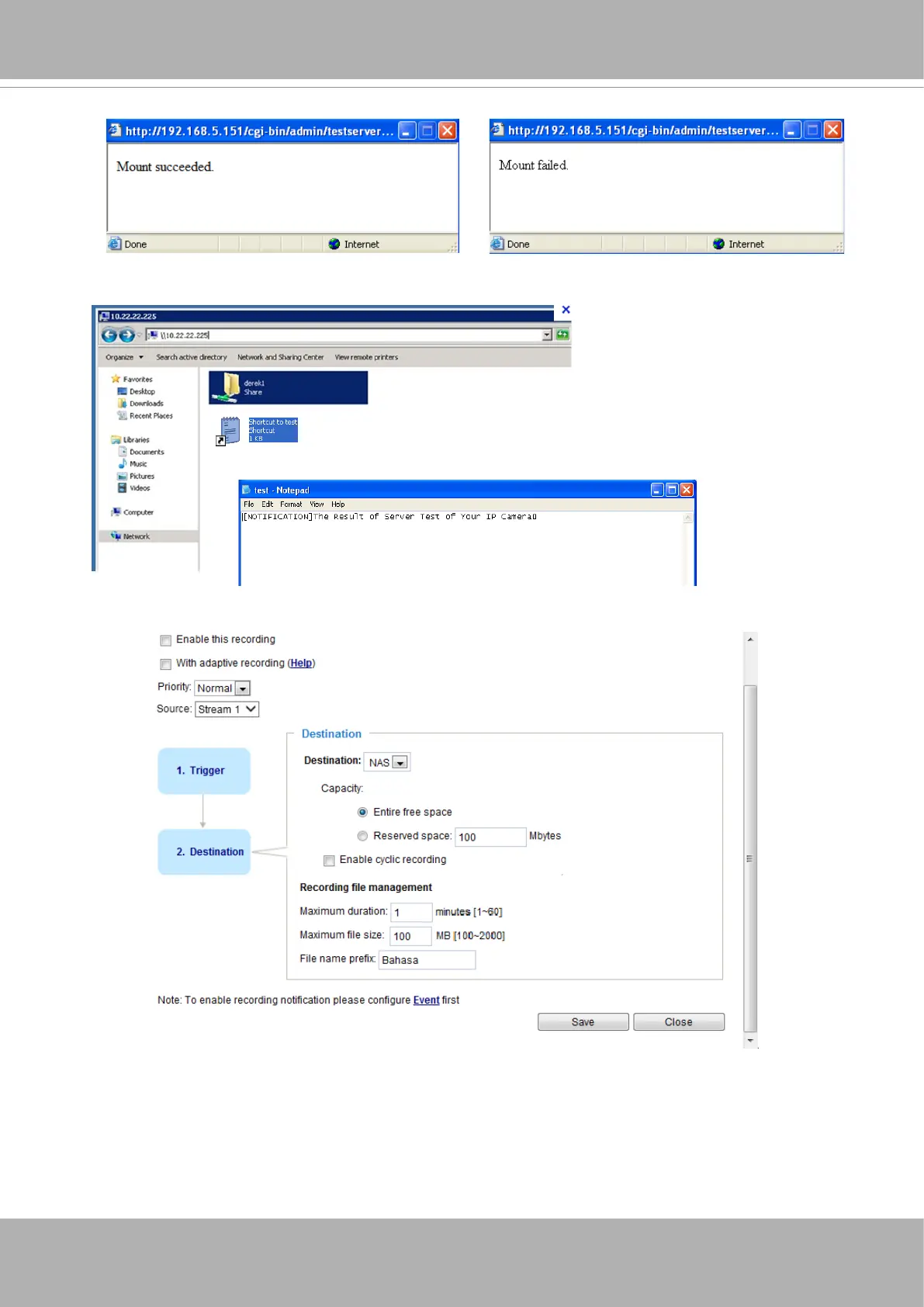
If successful, you will receive a test.txt le on the networked storage server.
3. Enter a server name.
4. Click
Save
to complete the settings and click
Close
to exit the page.
■ Capacity: You can either choose the entire available space or impose a reserved space. The
Reserved
space
should be of the size of at least
15MBytes
. The reserved space can be used as a safe buer
especially when the cyclic recording function is enabled, during the transaction stage when a storage
space is full and the incoming streaming data is about to overwrite the previously saved videos.
■ File name prex: Enter the text that will be appended to the front of the le name.
2. Click
Test
to check the setting. The result will be shown in the pop-up window.



 To Next Page