VIVOTEK
User's Manual - 17
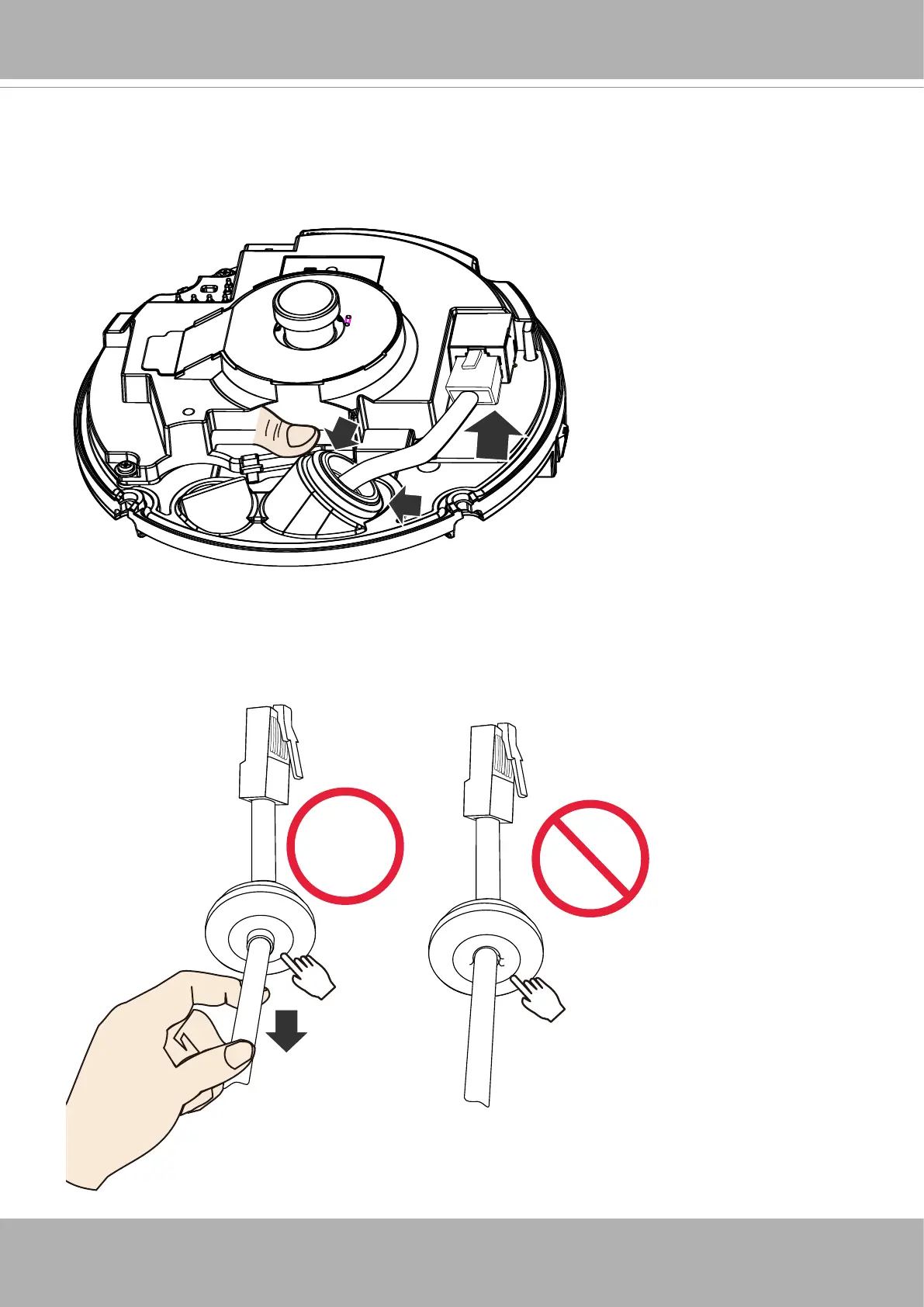
11. Connect the Ethernet connector and secure the top of the silicone seal to the routing hole.
You may need to adjust its position.
11. Connect the Ethernet connector and secure the top of the silicone seal to the routing hole.
You may need to adjust its position.
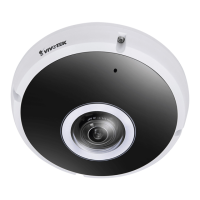
12. Pull the cable slightly backward. Please do not leave the edge of center hole folded toward
the inside of the camera. Doing so will compromise its waterproof feature.



 To Next Page