VIVOTEK
72 - User's Manual
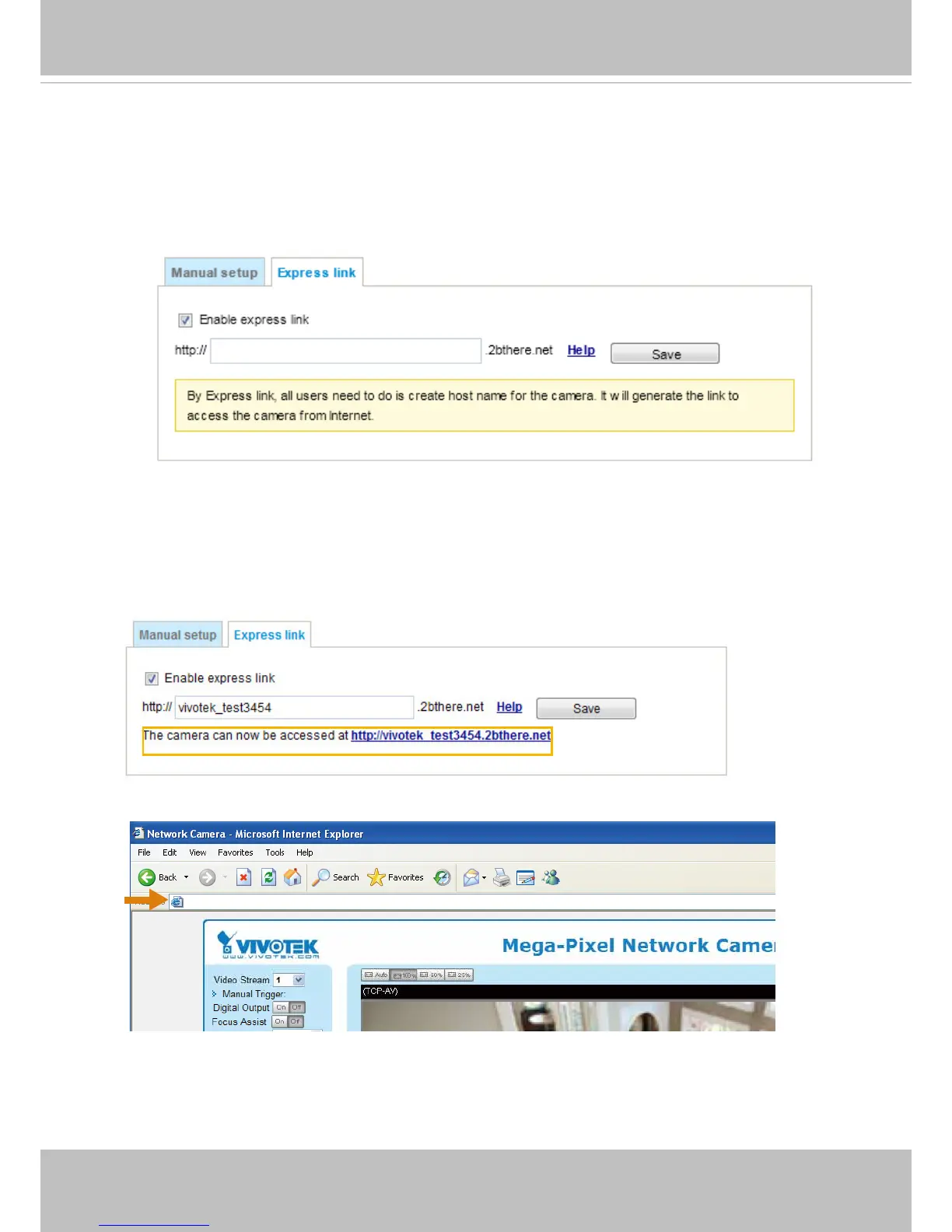
Please follow the steps below to enable Express Link:
1. Make sure that your router supports UPnP port forwarding and it is activated.
2. Check Enable express link.
3. Enter a host name for the network device and click Save. If the host name has been used by
another device, a warning message will show up. If the host name is valid, it will display a
message as shown below.
https://vivotek test3454.2bthere.net
Express link
Express Link is a free service provided by VIVOTEK server, which allows users to register
a domain name for a network device. One URL can only be mapped to one MAC address.
This service will examine if the host name is valid and automatically open a port on your
router. If using DDNS, the user has to manually congure UPnP port forwarding. Express
Link is more convenient and easier to set up.



 To Next Page