- 20 -
www.vivotek.com
T: 886-2-82455282
F: 886-2-82455532
Opening Accounts for New Users
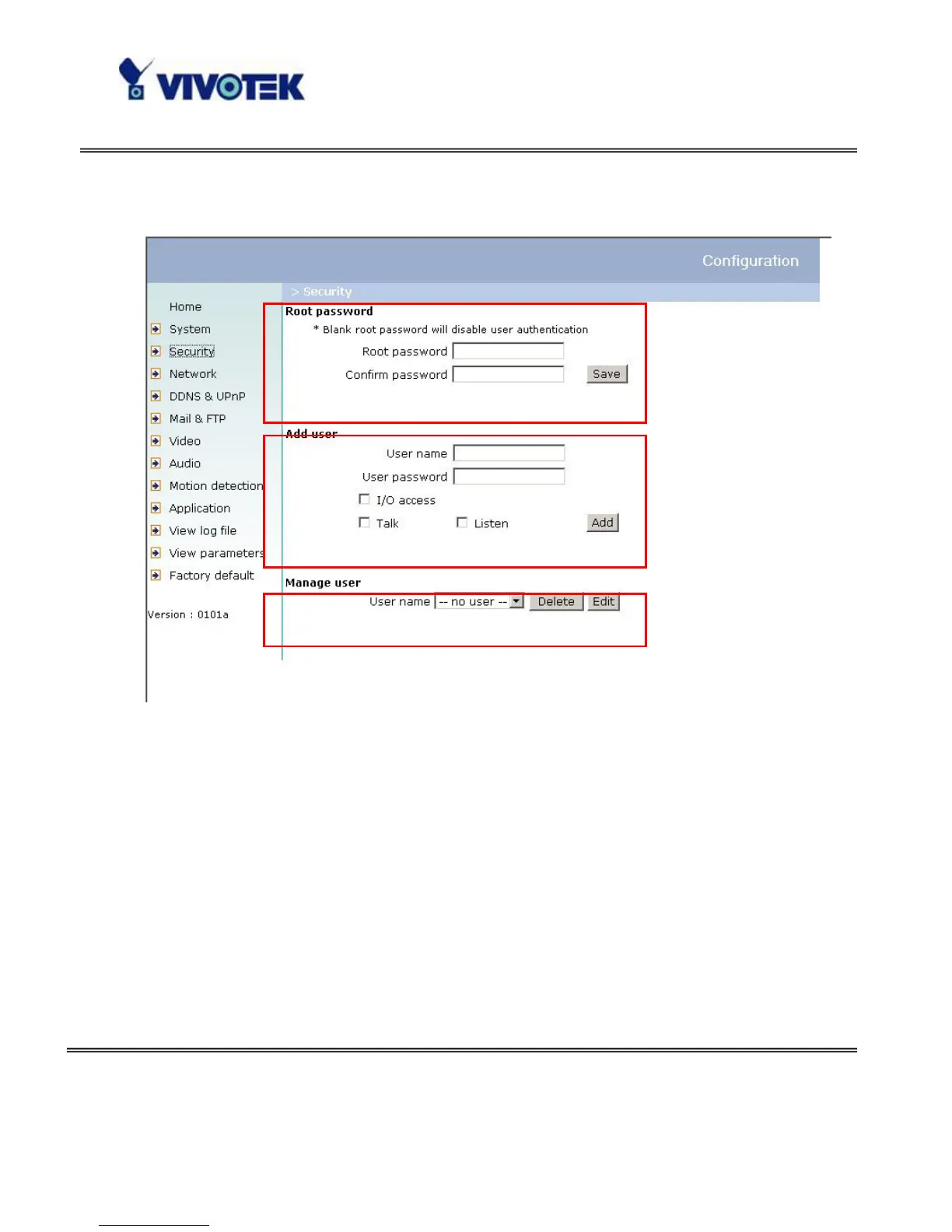
Protect Network Camera by Passwords
The Network Camera is shipped without any password by default. That means
everyone can access the Network Camera including the configuration as long as the
IP address is known. It is necessary to assign a password if the Network Camera is
intended to be accessed by others. Type a new word twice in the first field to enable
protection. This password is used to identify the administrator. Then add an account
with user name and password for your friends in the second field. The Network
Camera can provide twenty accounts for your valuable customers or friends. Each
account identifies the access right rather than the real visitor. That allows multiple
visitors share the same account of different level. Each account has four kinds of
privileges, which can be set individually. The “I/O access” privilege permits the user
1
2
3


 To Next Page