To Next Page


P
patricia19Aug 4, 2025
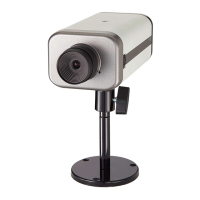
What to do if system problems remain after reset Vivotek IP6117 Security Camera?
- JJoseph CoxAug 4, 2025
If system problems persist after a reset, restore the Vivotek Security Camera to its factory settings and reinstall it.

What to do if system problems remain after reset Vivotek IP6117 Security Camera?
If system problems persist after a reset, restore the Vivotek Security Camera to its factory settings and reinstall it.
Covers the physical connection and setup of the camera's hardware components.
Provides solutions for common problems and error conditions.
 General
| Focal Length | 3.6 mm |
|---|---|
| Aperture | F2.0 |
| Video Compression | H.264, MJPEG |
| Maximum Frame Rate | 30 fps |
| Multiple Streams | Yes |
| Audio Capability | Two-way audio |
| Audio Compression | G.711, G.726 |
| Ethernet Ports | 1 |
| Lens Type | Fixed |
| Field of View | 90° |
| Day/Night | Yes |
| IR Illuminators | Yes |
| Minimum Illumination | 0 Lux with IR Illuminators on |
| Network Protocols | HTTP, HTTPS, TCP, UDP, RTSP, RTP, SMTP, FTP, DHCP, DNS, DDNS, NTP, UPnP, SNMP, 802.1X, QoS |
| Interface | Ethernet |
| DI/DO | 1 DI, 1 DO |
| Local Storage | SD/SDHC/SDXC slot |
| Operating Temperature | -10°C to 50°C |
| Power Supply | 12V DC |
| Weather-proof | IP66 |
| Vandal-proof | IK10 |
| Power over Ethernet | Yes |
| Image Sensor | 1/3" Progressive CMOS |
| Shutter Time | 1/5 sec to 1/10, 000 sec |