www.vivotek.com
T: 886-2-82455282
F: 886-2-82455532
Somewhere Between Real-time and Clear Images
If you have a broadband network, set “Fix quality” at ”Normal” or better, rather than
setting “Fix bit rate”. You can also fix the bandwidth according to your actual network
speed and adjust the frame rate. Start from 30 fps down for best results but not
below 15 fps. If the image qualities are not improved, select a lower bandwidth
setting.
Select for Motion JPEG
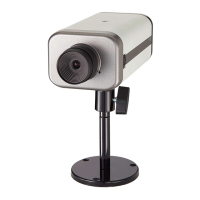
The Network Camera is a camera with dual video codec, they’re MPEG4 and MJPEG.
If MJPEG is selected, the camera will transmit video data in JPEG format. Therefore,
it requires higher bandwidth to view smooth video. General speaking, each normal
sized JPEG image would be 3k~12k bytes, depending on the selected video quality
and contents. Together with the frame rate selected, the administrator can control
the bandwidth of each connection.



 To Next Page