EN - 7
English
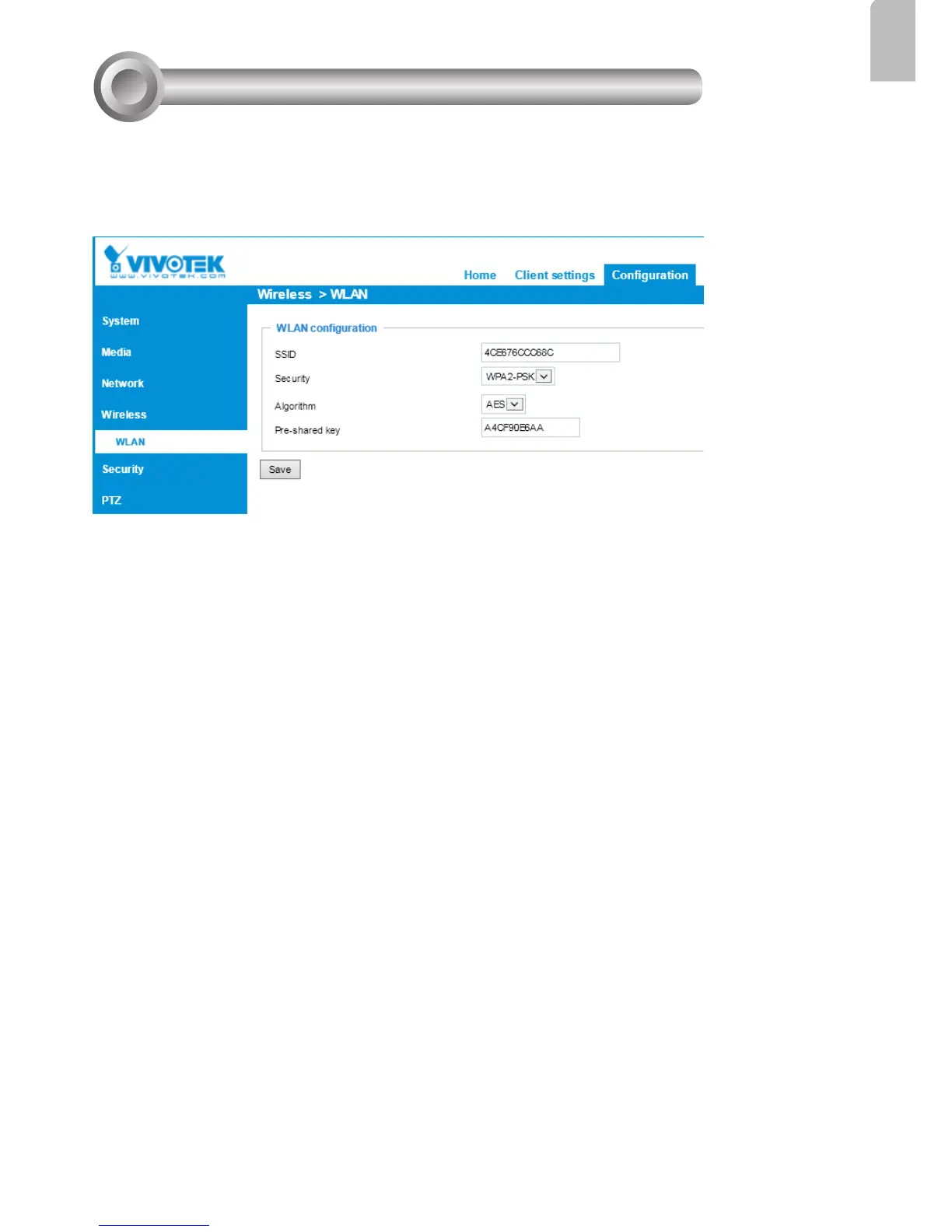
1. In addition to the use of WPS function, you can also use a wired connection to manually
set up your wireless conguration.
2. Enter the Conguration > Wireless > WLAN page. Key in the same wireless settings
as those on your router/AP (SSID, Encryption type, and Pre-shared key).
Wireless Connection: Manual Conguration
8
3. When done, click the Save button, disconnect the Ethernet cable and then reboot the
camera (by disconnect and then connect the power cord). The camera should then be
connected over the wireless network. If successfully congured, the camera LED should
turn Green after 1 minute. If the camera LED does not turn Green within 2 minutes,
check your wireless conguration for errors.



 To Next Page