VIVOTEK
User's Manual - 11
B-2 B-3
192.168.1.1
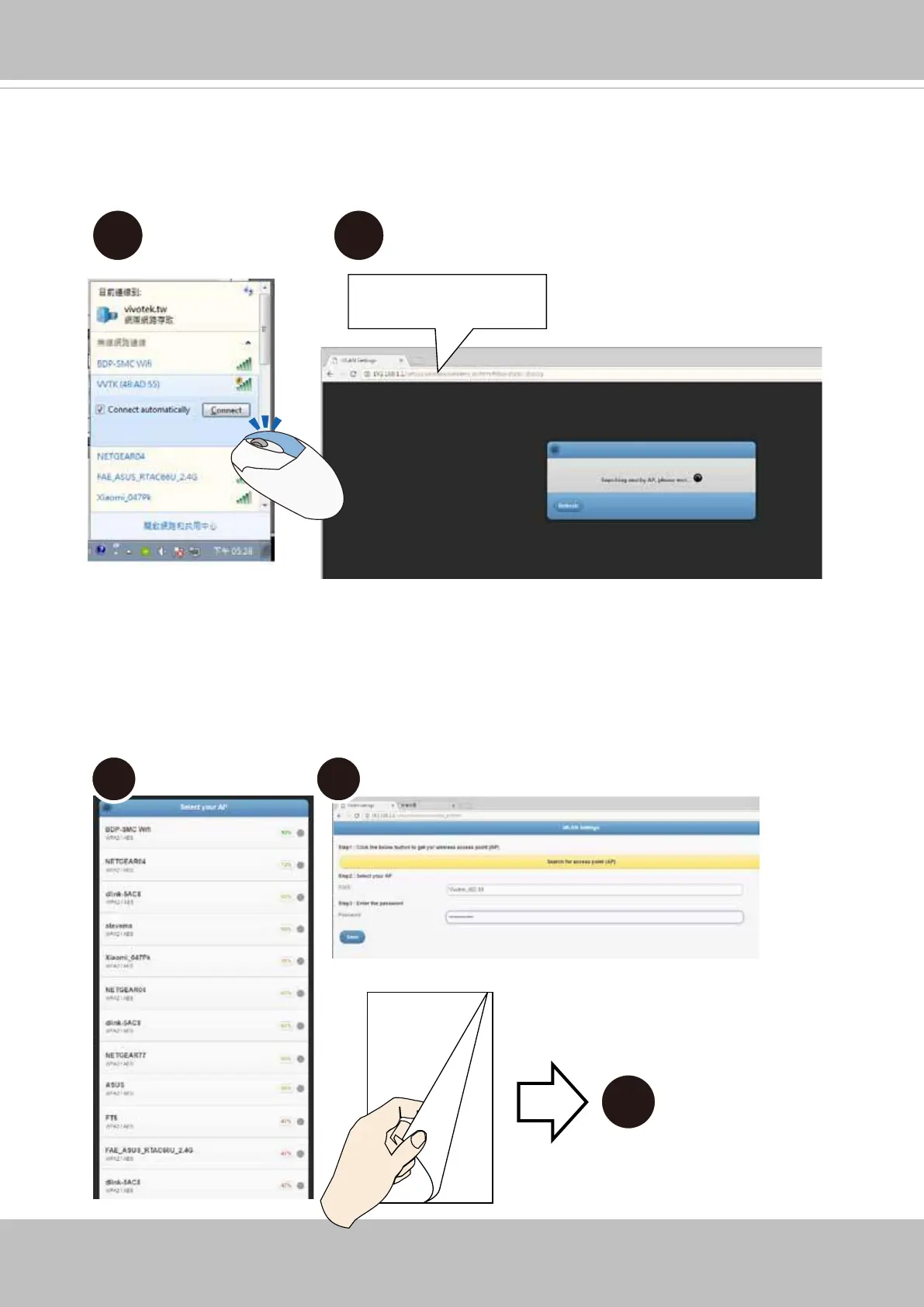
B-2. Select the camera and right-click to display the Connect button. Click to connect.
B-3. Open a web browser, enter the camera's default IP: 192.168.1.1.
B-4 B-5
6
B-4. The camera will search for the other APs within the network. Select an AP you prefer
your camera will connect to.
B-5. Enter the credentials for log in to your AP. Please move to Step 6.



 To Next Page