VIVOTEK
88 - User's Manual
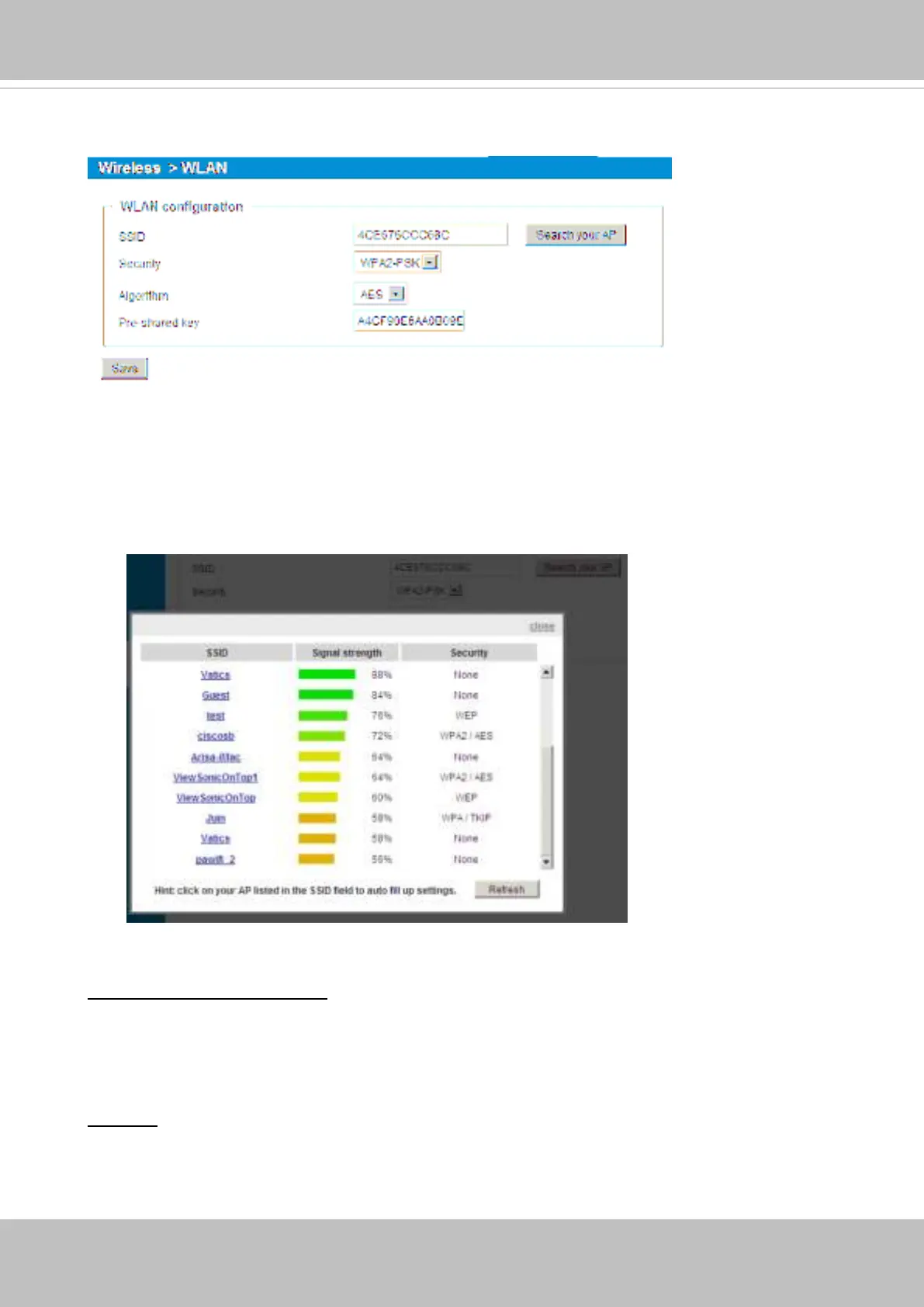
Wireless > WLAN
Although the wireless connection is made before you can access the camera’s
configuration page, you can enter the WLAN settings if configuration change should be
made, e.g., connecting to a different AP.
Below are more information about encryption and other wireless-related settings.
SSID (Service Set Identier): This is the name that identies a wireless network. Access
Points and wireless clients attempting to connect to a specic WLAN (Wireless Local Area
Network) must use the same SSID. The default setting is “default”. Note: The maximum
length for an SSID is 32 single-byte characters and cannot consist of “, <, >, or blank
spaces. Note that the SSID is case-sensitive.
Security: Select the data encrypt method. There are four types, including: none, WEP,
WPA-PSK, and WPA2-PSK.
1.
None: No data encryption.
Search your AP: Press this button to search for the nearby AP when the need arises for
changing the wireless connection.



 To Next Page