VIVOTEK
10 - User's Manual
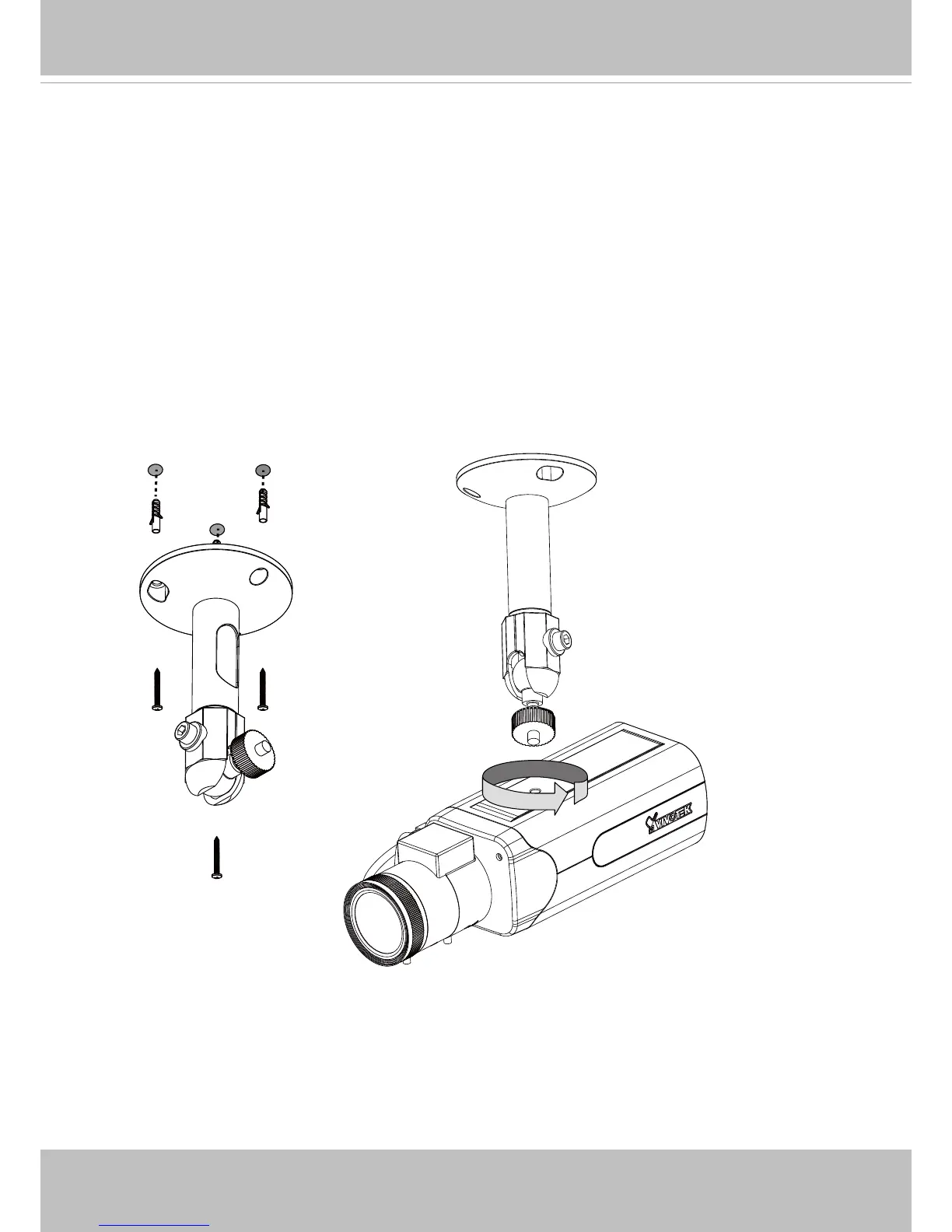
Install the Camera Stand
1. Install the camera stand by drilling holes on the ceiling.
2. Secure the stand to ceiling using the screws and anchors.
3. Secure the camera to stand and tighten the fastening ring.
Micro SD/SDHC/SDXC Card Capacity
This network camera is compliant with Micro SD/SDHC/SDXC 16GB / 8GB / 32GB /
64GB and other preceding standard SD cards.



 To Next Page