VIVOTEK
User's Manual - 7
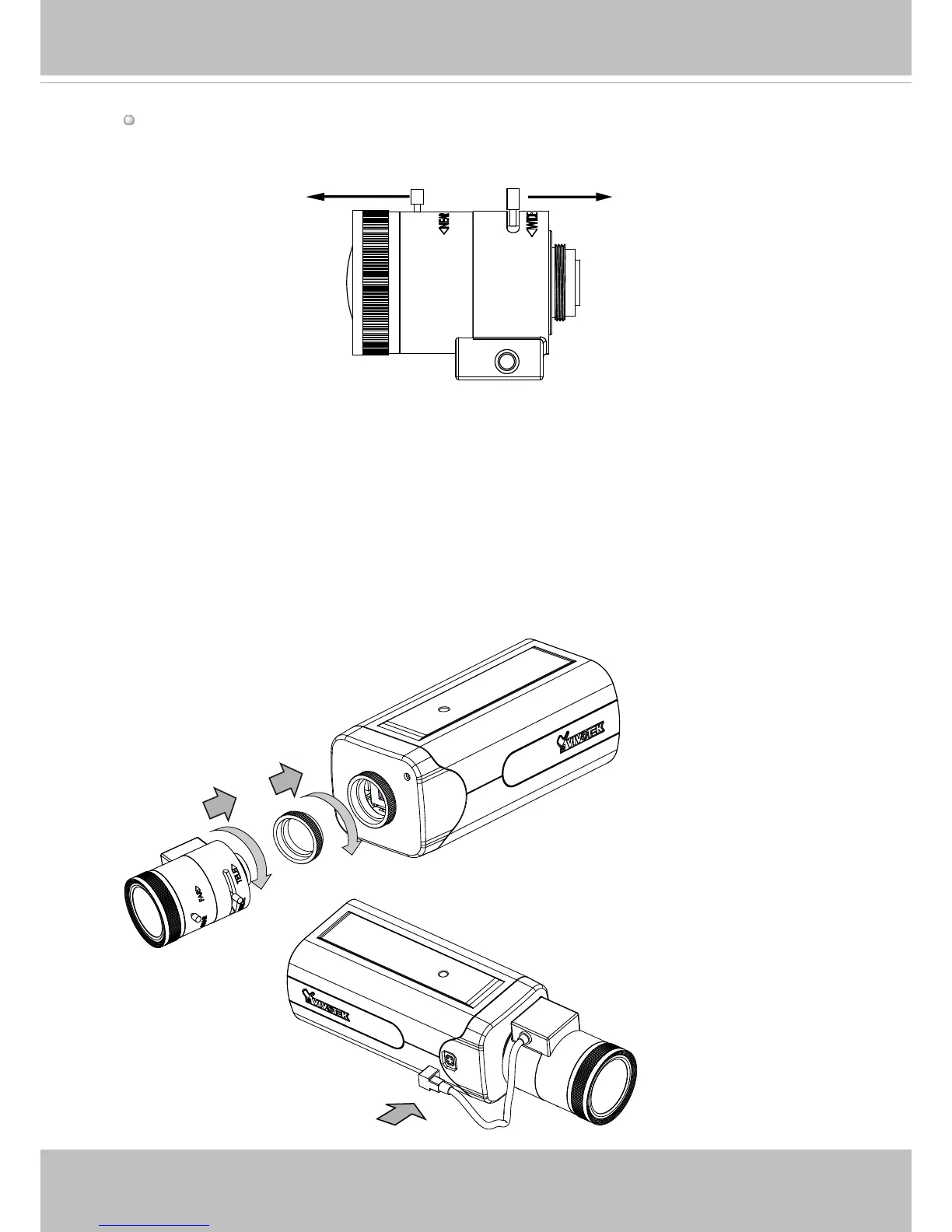
Mounting the Lens to the Camera
1. Jot down the camera's MAC address for later reference.
2. Install a C-mount adaptor ring.
3. Mount the lens by turning it clockwise onto the camera mount until it stops.
4. Connect the P-iris control cable to the socket.
Lens
Focus ControllerZoom Controller



 To Next Page