VIVOTEK
User's Manual - 35
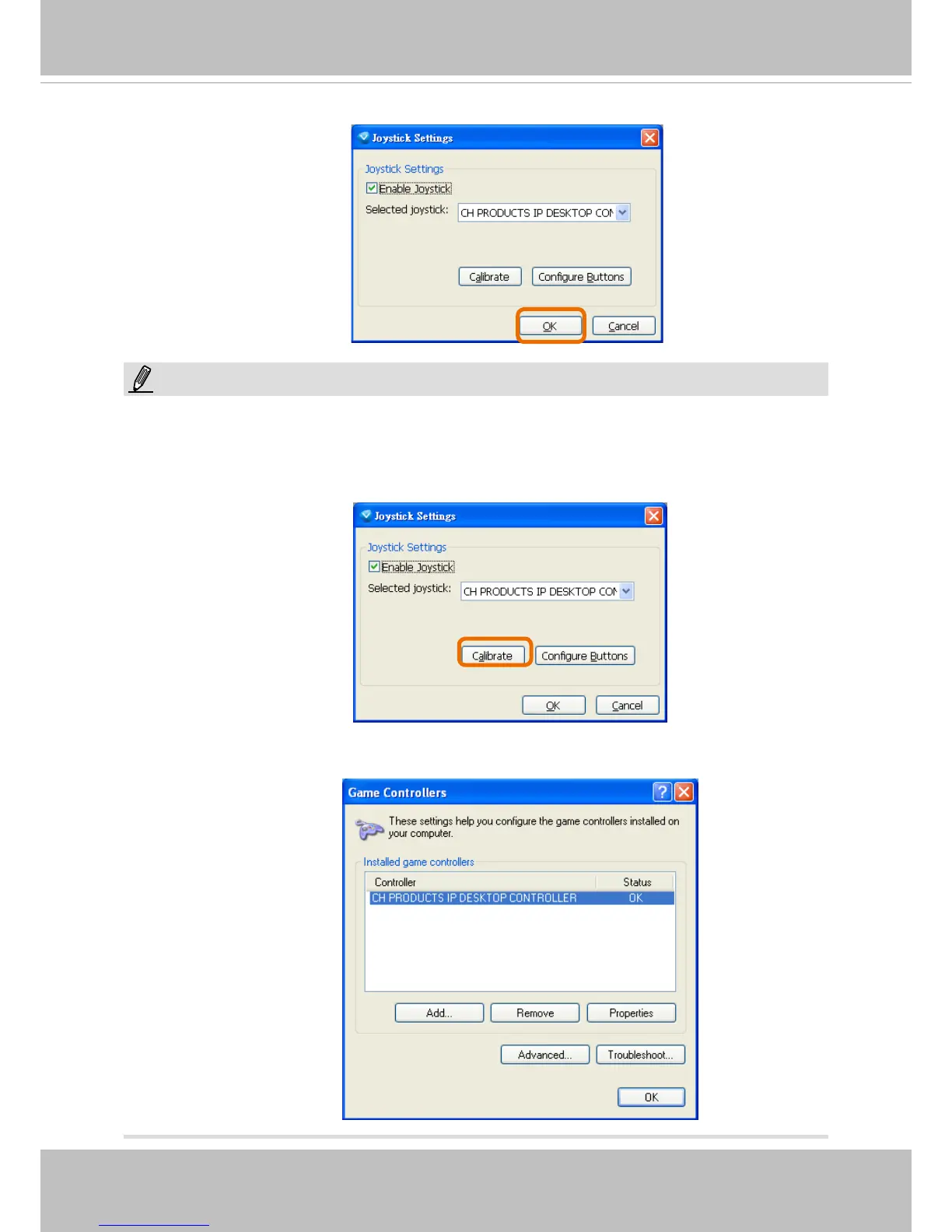
5. Click OK to
save the settings or click Cancel to discard the settings.
• If you want to assign Preset actions to your joystick, the preset locations should be congured in
advance.
• If your joystick is not working properly, it may need to be calibrated. Click the Calibrate button to
open the Game Controllers window located in Microsoft Windows control panel and follow the
instructions for trouble shooting.
NOTE:
• The joystick will appear in the Game Controllers list in the Windows Control panel. If you want to
check out for your devices, go to the following page: Start -> Control Panel -> Game Controllers.



 To Next Page