VIVOTEK
48 - User's Manual
Media > Image
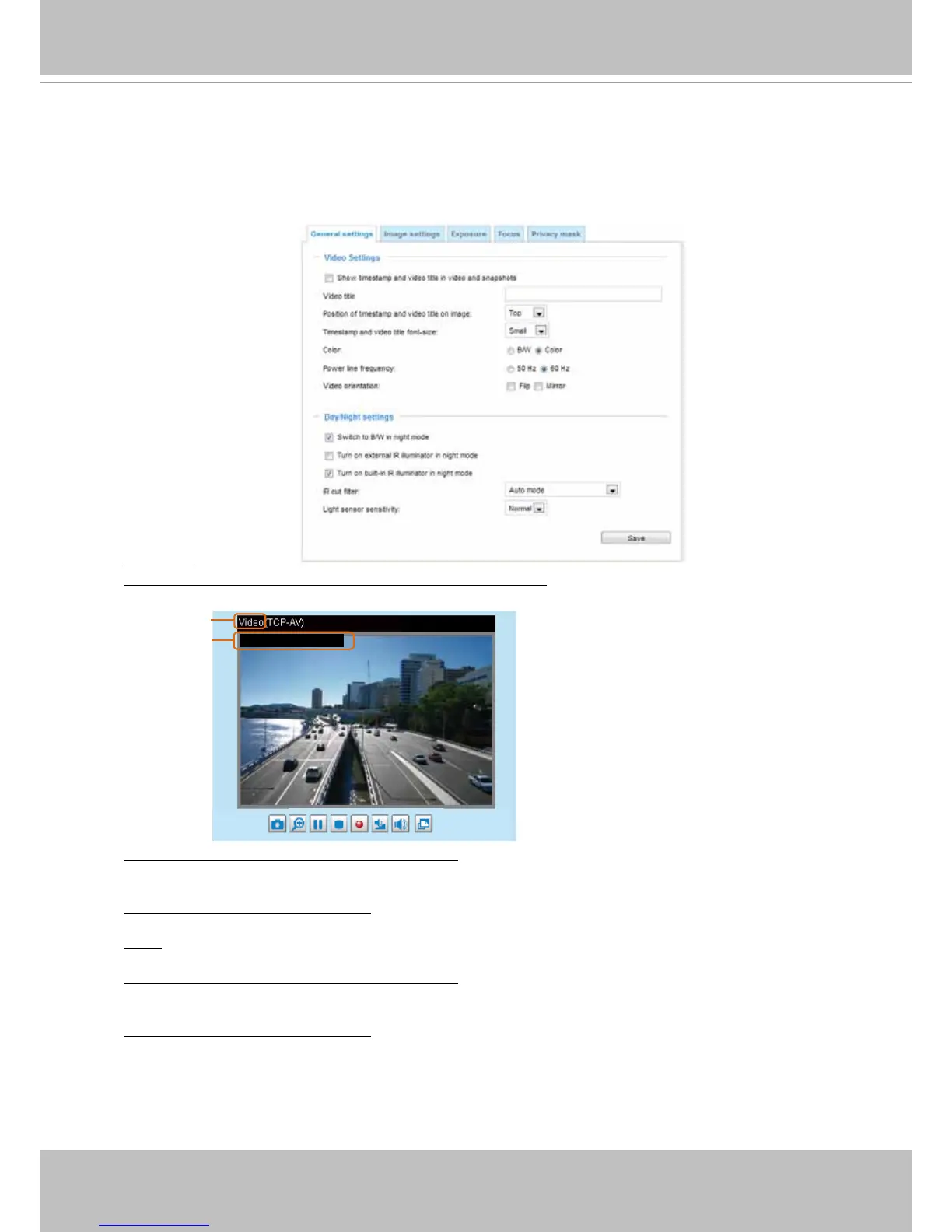
This section explains how to configure the image settings of the Network Camera. It is
composed of the following five columns: General settings, Image settings, Exposure,
Focus, and Privacy mask.
General settings
Video title
Show_timestamp_and video_title_in_video_and_snapshots: Enter a name that will be displayed on
the title bar of the live video as shown below.
Video Title
2013/12/09 17:08:56
Title and Time
Video 17:08:56 2013/12/09
Position of timestamp and video title on image: Select to display time stamp and video title on the
top or at the bottom of the video stream.
Timestamp and video title font size: Select the font size for the time stamp and title.
Color: Select to display color or black/white video streams.
Position of timestamp and video title on image: Select to display time stamp and video title on the
top or at the bottom of the video stream.
Timestamp and video title font size: Select the font size for the time stamp and title.



 To Next Page