VIVOTEK
64 - User's Manual
You can click Preview to fine-tune the image, or click Restore to recall the original settings without
incorporating the changes. When completed with the settings on this page, click Save to enable the
setting and click Close to exit the page.
Privacy Mask
Advanced Mode
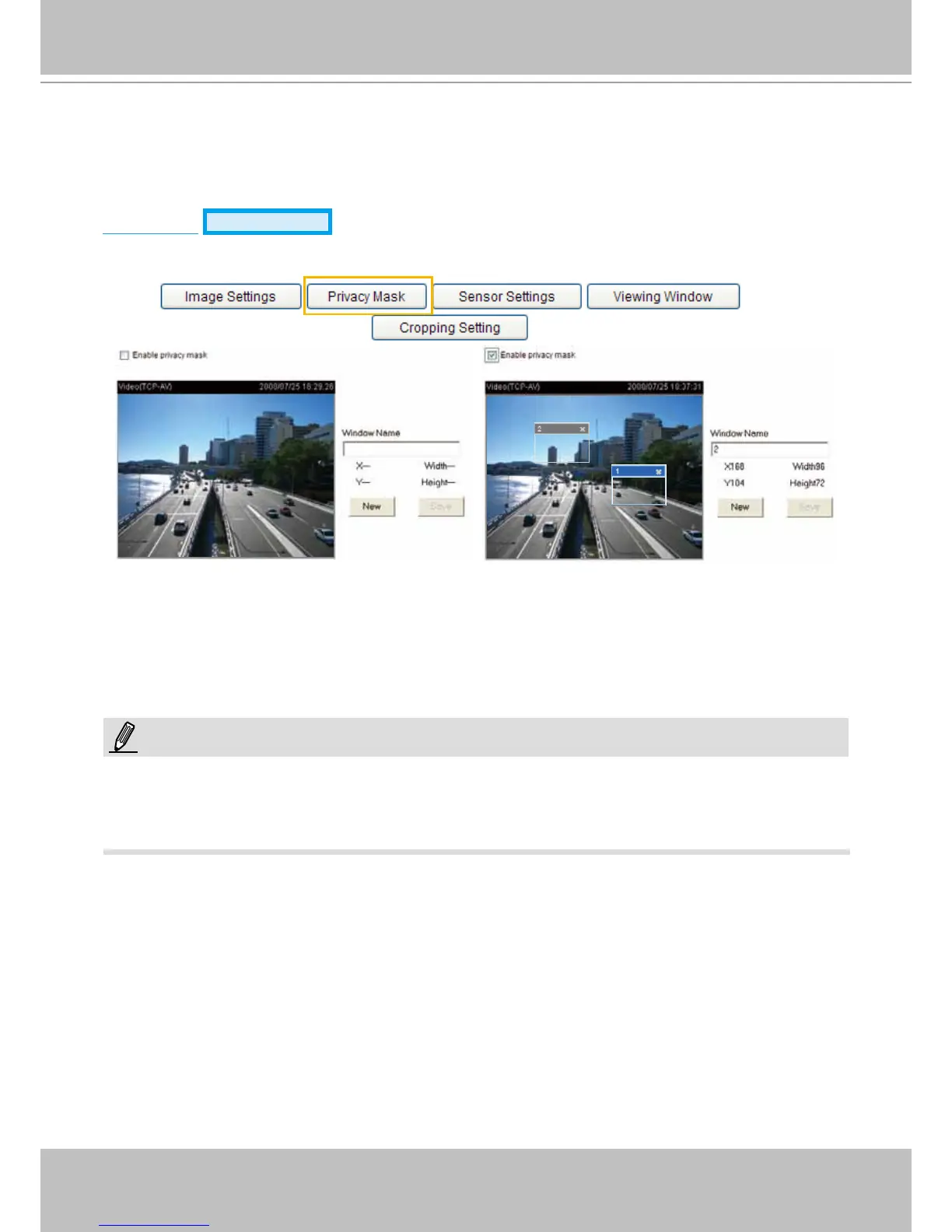
Click Privacy Mask to open the settings page. On this page, you can block out sensitive zones to
address privacy concerns.
■ To set the privacy mask windows, follow the steps below:
1. Click New to add a new window.
2. Use the mouse to size and drag-drop the window, which is recommended to be at least twice the size
of the object (height and width) you want to cover.
3. Enter a Window Name and click Save to enable the setting.
4. Select Enable privacy mask to enable this function.
►
Up to 5 privacy mask windows can be set up on the same screen.
► If you want to delete the
privacy mask
window, please click the ‘x’ mark on the upper right corner of the
window.
NOTE:



 To Next Page