VIVOTEK
User's Manual - 67
Viewing Window
Advanced Mode
Click Viewing Window to open the Viewing Window Settings page.
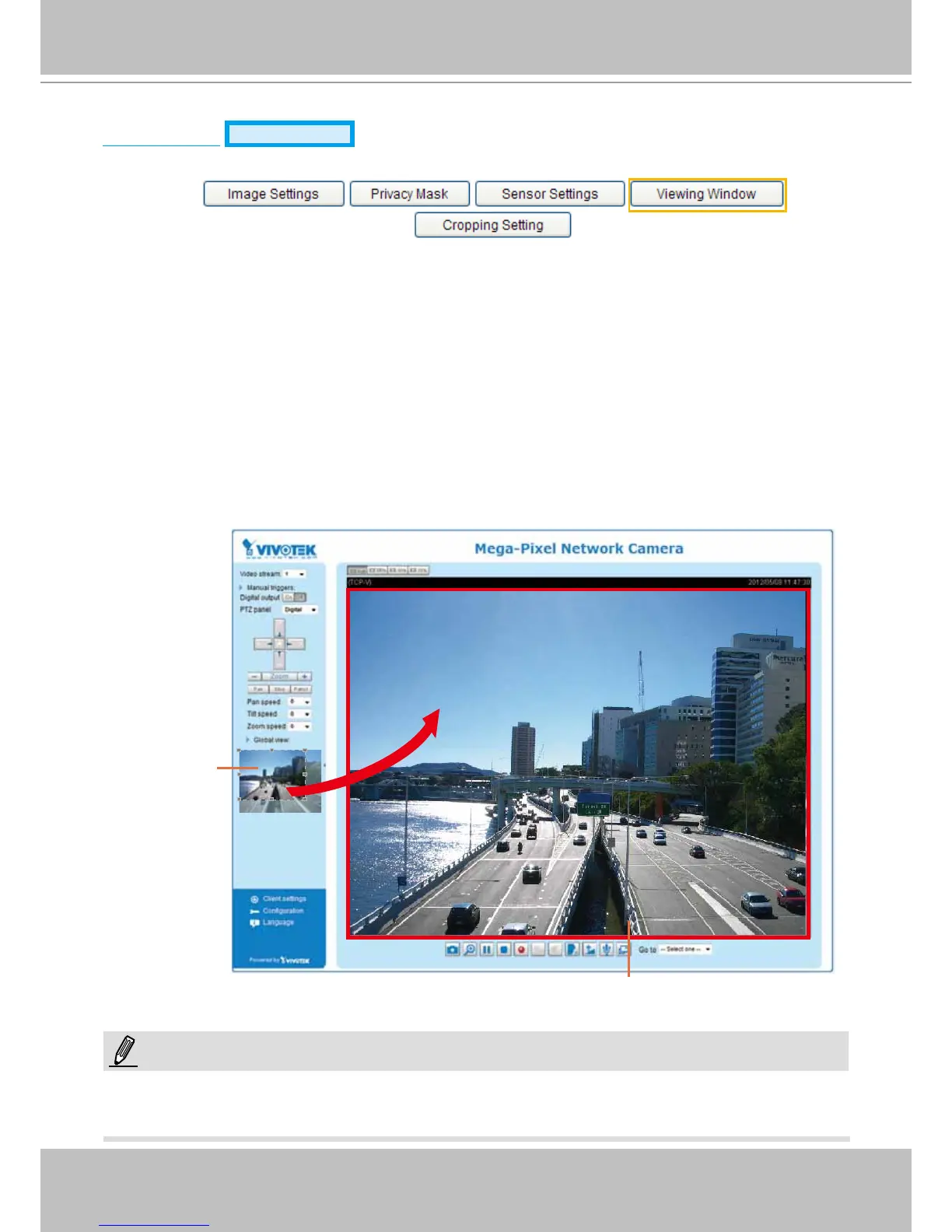
This Network Camera supports multiple streams with frame size ranging from 176 x 144 to 1600 x 1200.
The denition of multiple streams:
■ Stream 1: Users can dene the "Region of Interest" (viewing region) and the "Output Frame Rate" (size
of the live view window).
■ Stream 2: Users can dene the "Region of Interest" (viewing region) and the "Output Frame Rate" (size
of the live view window).
■ Stream 3 (Mobile stream): Users can dene the "Region of Interest" (viewing region), but the "Output
Frame Rate" (size of the live view window) is xed at 176 x 144.
■ Stream 4 (Global view stream): This stream captures the full view of the video and streams out at the
maximum resolution (1600 x 1200).
► All the items in the “Region of Interest” should not be larger than the “Output Frame Size“ (current
maximum resolution).
Region of Interest
(Viewing Region)
Output Frame Size
(Size of the Live View Window)
NOTE:



 To Next Page