VIVOTEK
User's Manual - 79
Transparent HTTP Tunnel: If you want to use your own RS-485 device, you can use UART commands to
build a Transparent HTTP Tunnel. The UART commands will be sent through HTTP tunnel established
between the RS-485 device and the camera. For detailed application notes, please refer to URL
Commands started on page 115 or
http://www.vivotek.com/downloadles/support/appnote/14_document_1.pdf
.
Preset Positions
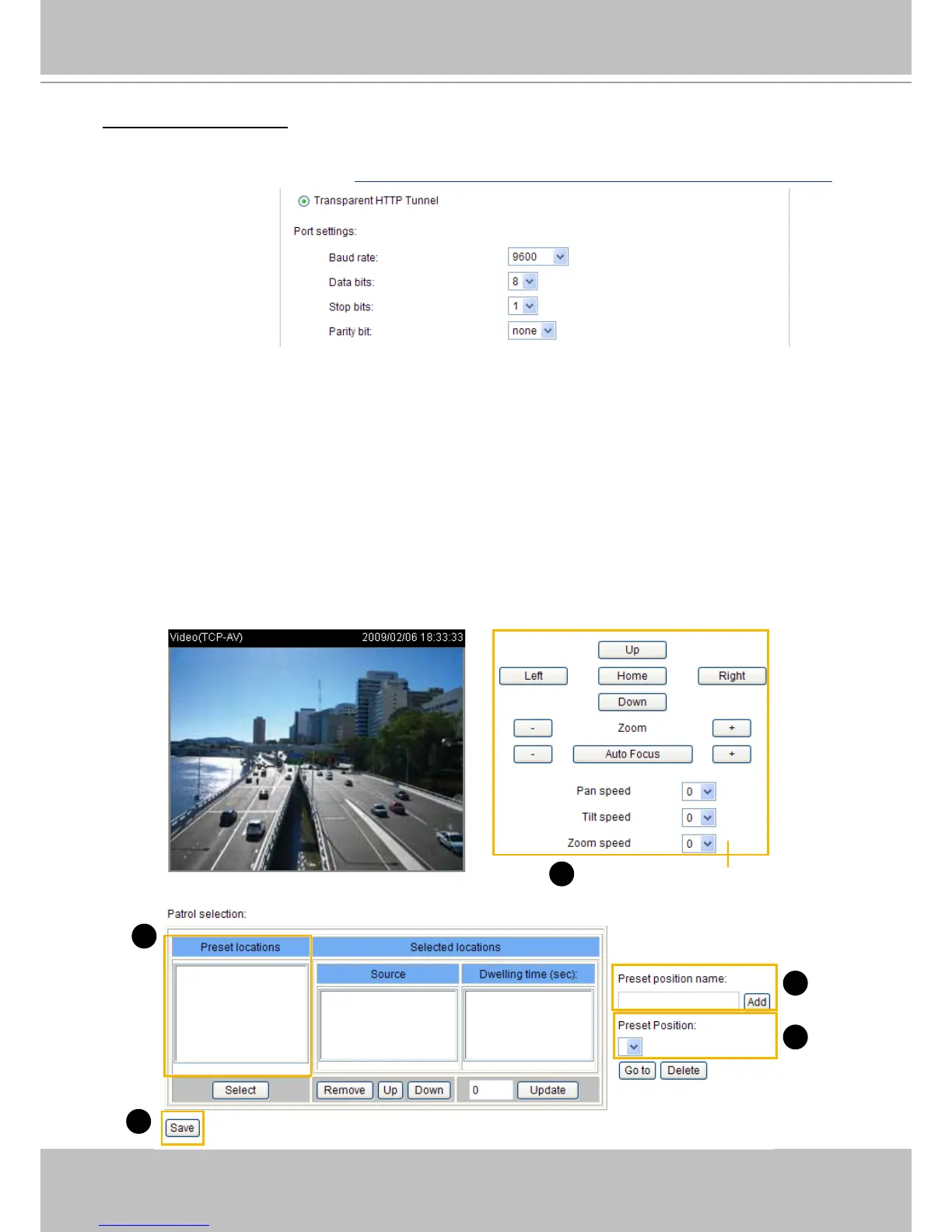
If you select DynaDome/SmartDOME, Lilin PIH-7x00, Pelco D, Pelco P, or Samsung Scc643 protocol,
as the PTZ driver and click the Save button, the Preset Position button will become available. Click
Preset Position to open the conguration window. You can also select preset positions for the camera to
patrol among them. A total of 20 preset positions can be congured.
Please follow the steps below to congure preset positions:
1. Adjust the shooting area to the desired position using the buttons on the right side of the window.
2. Enter a name for the preset position, which allows for up to forty characters. Click Add to enable the
settings. The preset positions will be displayed under the Preset Location list on the left-hand side.
3. To add additional preset positions, please repeat steps 1~2.
4. To remove a preset position from the list, select it from the drop-down list and click Delete.
5. The preset positions will also be displayed on the main page. Please refer to the illustration on the
next page.
6. Click Save to enable the settings.
Functions are the same
as the Control Panel on
the home page
1
2
4
6
2



 To Next Page