VIVOTEK
User's Manual - 103
Applications > DI and DO
Advanced Mode
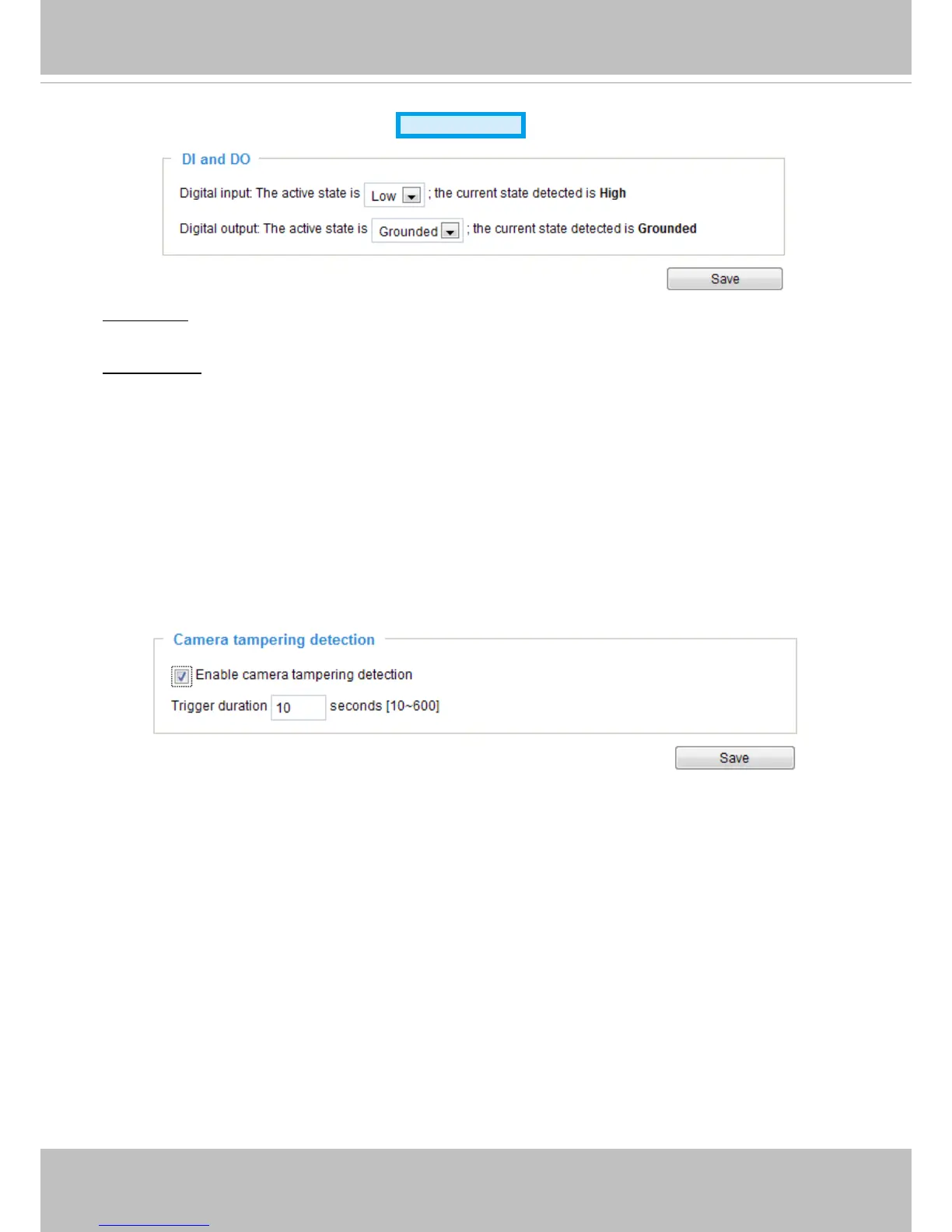
Digital input: Select High or Low to dene normal status for the digital input. The Network Camera will
report the current status.
Digital output: Select Grounded or Open to define normal status for the digital output. The Network
Camera will show whether the trigger is activated or not.
Set up the event source as DI on
Event > Event settings > Trigger.
Please refer to page 88 for detailed
information.
Applications > Tampering detection
This section explains how to set up camera tamper detection. With tamper detection, the
camera is capable of detecting incidents such as
redirection
,
blocking or defocusing
, or even
spray paint
.
Please follow the steps below to set up the camera tamper detection function:
1. Check
Enable camera tampering detection
.
2. Enter the tamper trigger duration. (10 sec. ~ 10 min.) The tamper alarm will be triggered only when the
tampering factor (the difference between current frame and pre-saved background) exceeds the
trigger threshold.
3. Set up the event source as Camera Tampering Detection on
Event > Event settings > Trigger.
Please refer to page 88 for detailed information.



 To Next Page