VIVOTEK
4 - User's Manual
Physical Description
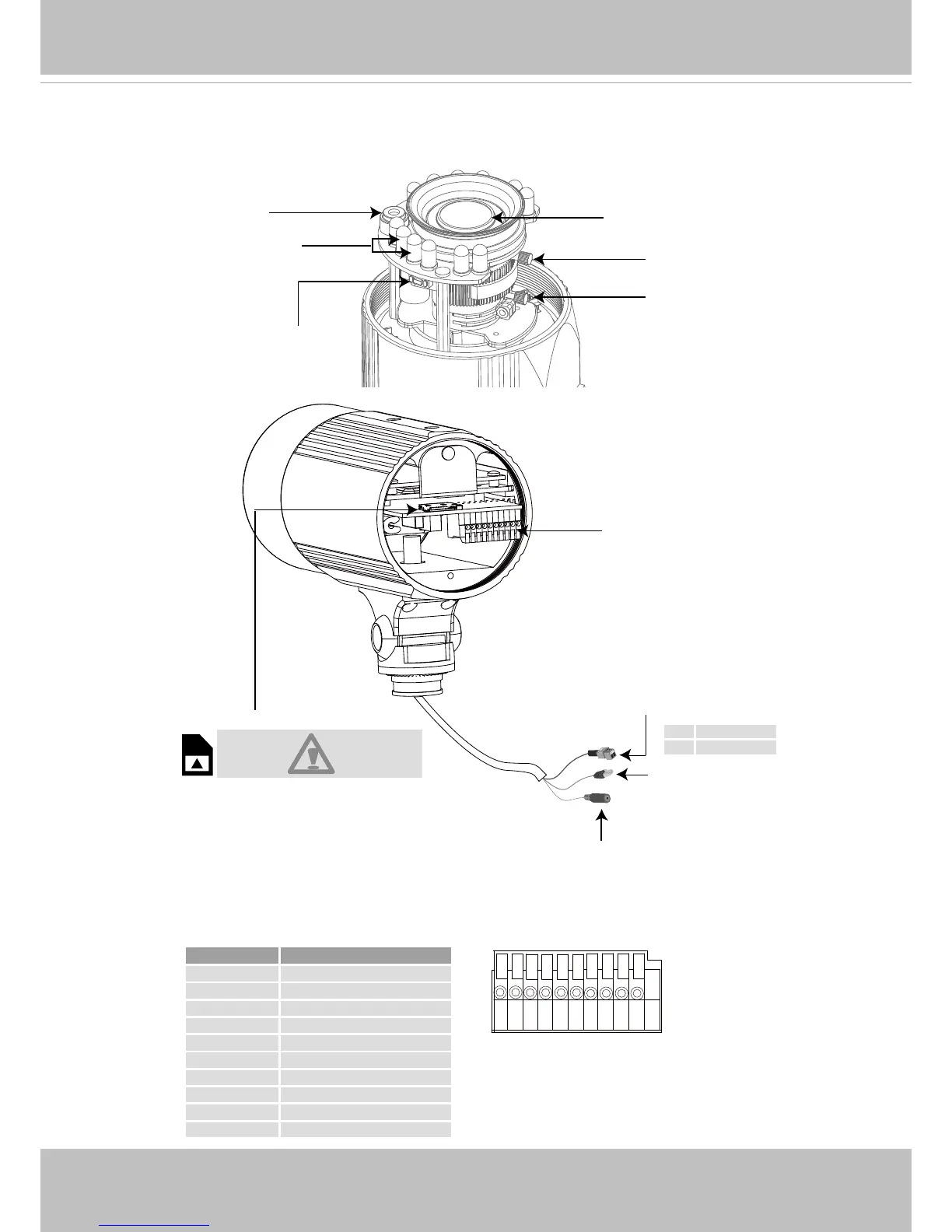
General I/O Terminal Block
This Network Camera provides a general I/O terminal block which is used to connect external
input / output devices. The pin denitions are described below.
IR LED
Lens
Light Sensor
General I/O
Terminal Block
MicroSD/SDHC Card Slot
Zoom Controller
Focus Controller
Reset Button
General I/O Terminal Block
Ethernet 10/100
RJ45 Plug
Power Cord Socket
+ AC 24V +
- AC 24V -
When inserting a MicroSD/SDHC card,
note the orientation of the contacts.
Pin Name
1 Power +12V
2 Digital Output
3 Digital Input
4 Ground
5 RS485 +
6 RS485 -
7 Ground
8 Audio Input
9 Ground
10 Audio Output
87654321 109



 To Next Page