VIVOTEK
20 - User's Manual
Conguration Area
Client Settings: Click this button to access the client setting page. For more information, please refer to
Client Settings on page 23.
Conguration: Click this button to access the conguration page of the Network Camera. It is suggested
that a password be applied to the Network Camera so that only the administrator can configure the
Network Camera. For more information, please refer to Conguration on page 25.
Language: Click this button to choose a language for the user interface. Language options are available
in: English, Deutsch, Español, Français, Italiano,
日本語
, Português,
簡体中文
, and
繁體中文
. You can
also change a language on the Conguration page; please refer to page 25.
Hide Button
You can click the hide button to hide the control panel or display the control panel.
Resize Buttons
:
Click the Auto button, the video cell will resize automatically to t the monitor.
Click 100% is to display the original homepage size.
Click 50% is to resize the homepage to 50% of its original size.
Click 25% is to resize the homepage to 25% of its original size.
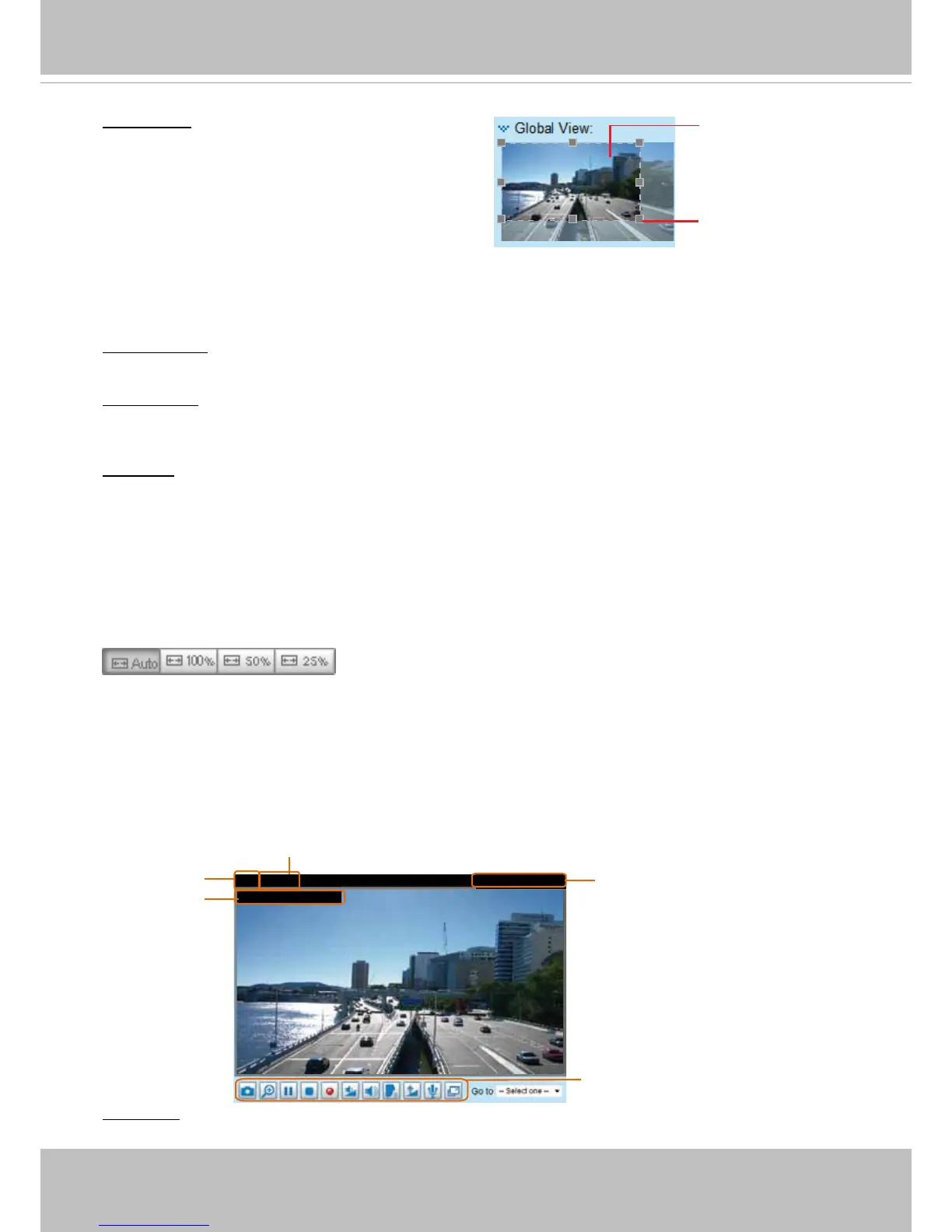
Live Video Window
■ The following window is displayed when the video mode is set to H.264 / MPEG-4:
Video Title: The video title can be congured. For more information, please refer to Video settings on
page 66.
Global View: Click on this item to display the Global
View window. The Global View window contains a full
view image (the largest frame size of the captured
video) and a oating frame (the viewing region of the
current video stream). The oating frame allows users
to control the e-PTZ function (Electronic Pan/Tilt/
Zoom). For more information about e-PTZ operation,
please refer to E-PTZ Operation on page 85. For more
information about how to set up the viewing region of
the current video stream, please refer to page 75.
Video 17:08:56 2011/03/10
Title and Time
2011/03/10 17:08:56
Time
Video and Audio Control Buttons
Video (TPC-AV)



 To Next Page