VIVOTEK
50 - User's Manual
NOTE
► If the default ports are already used by other devices connected to the same router, the Network
Camera will select other ports for the Network Camera.
► If UPnP
TM
is not supported by your router, you will see the following message:
Error: Router does not support UPnP port forwarding.
► Steps to enable the UPnP
TM
user interface on your computer:
Note that you must log on to the computer as a system administrator to install the UPnP
TM
components.
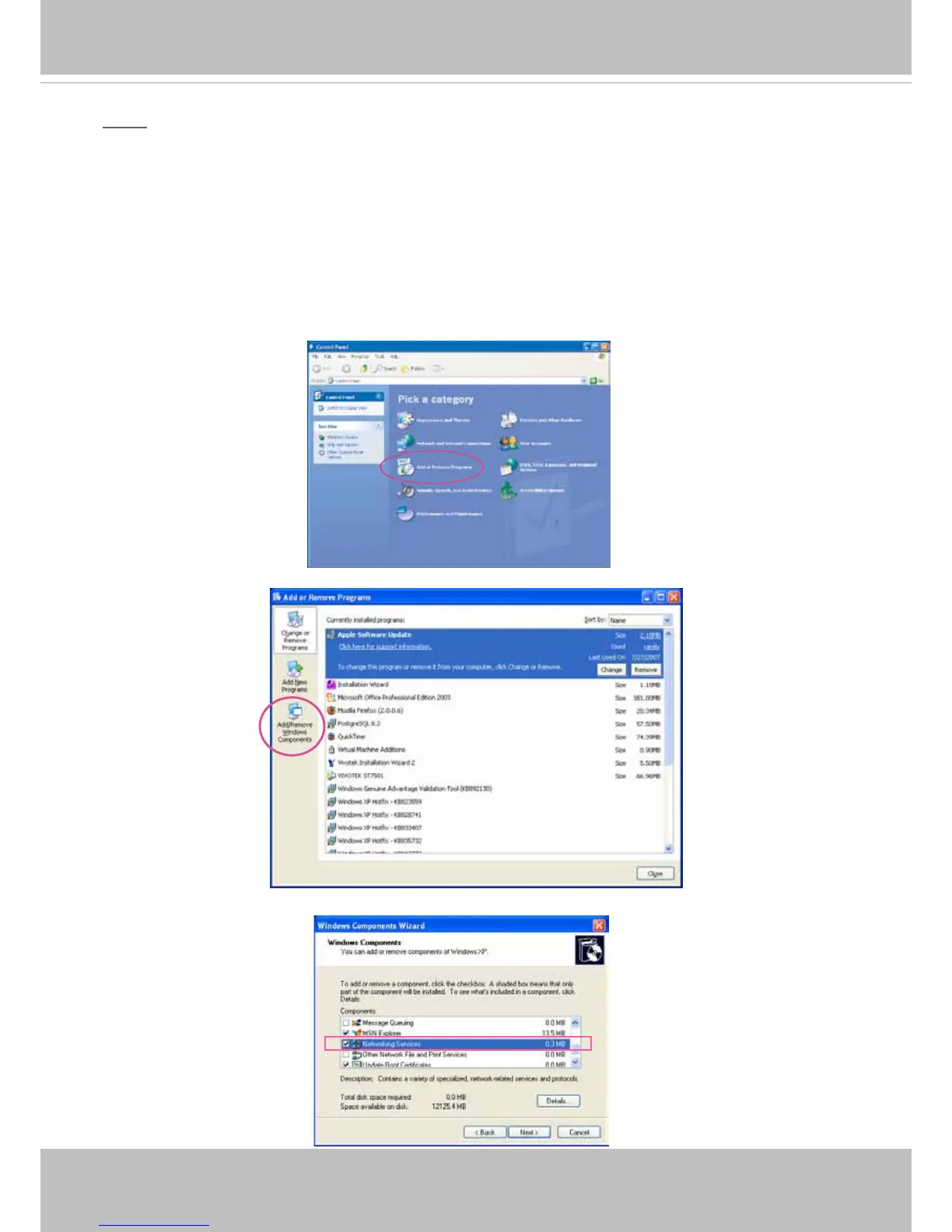
1. Go to Start, click
Control Panel
, then click
Add or Remove Programs
.
2. In the Add or Remove Programs dialog box, click
Add/Remove Windows Components
.
3.
In the Windows Components Wizard dialog box, select
Networking Services
and click
Details
.



 To Next Page