VIVOTEK
User's Manual - 7
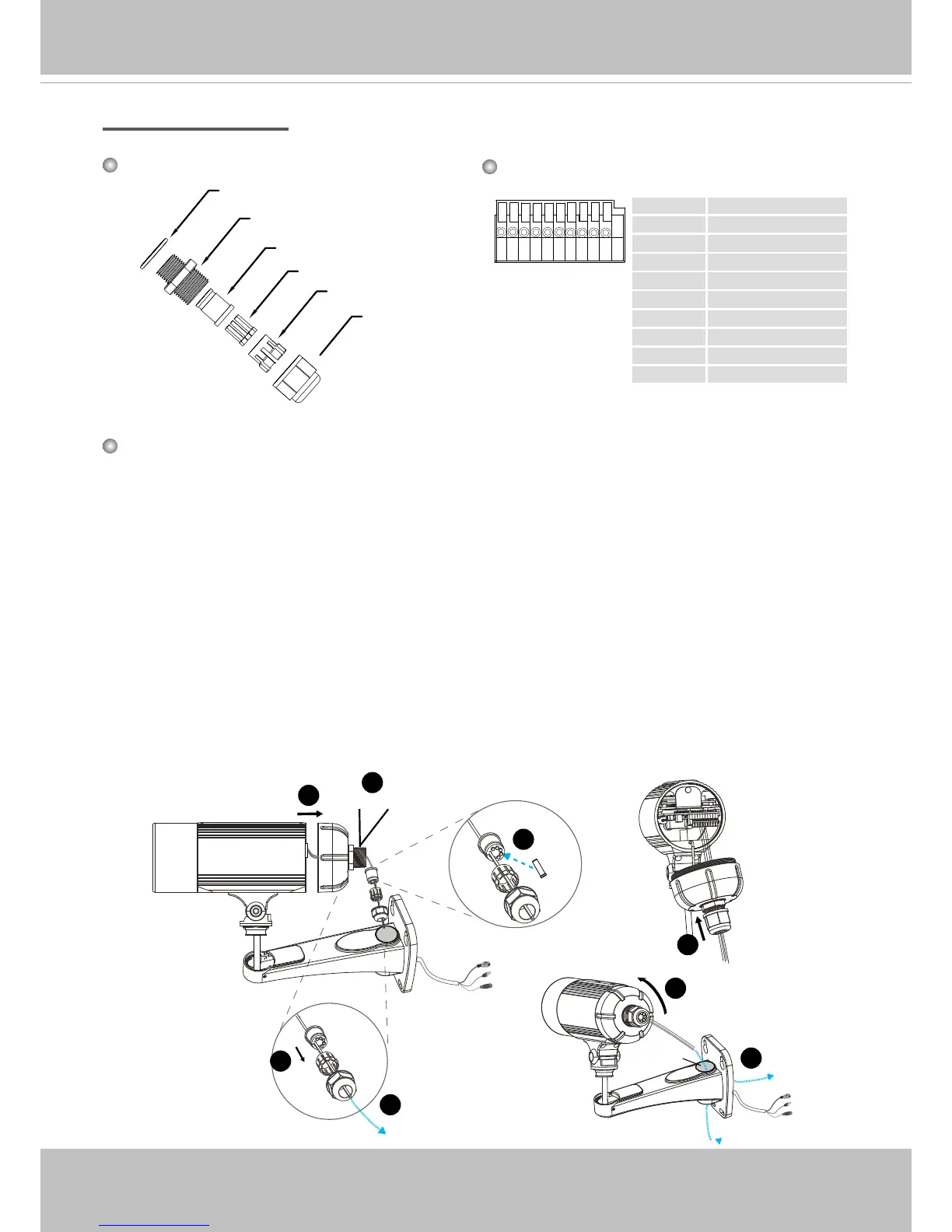
Waterproof Connector
1. Disassemble the components of the waterproof connector into part (A) ~ (F) as shown above.
2. Remove the rubber stopper from the bottom of the Network Camera and secure the rubber (A)
and screw nut (B) tightly.
3. Open the back cover of the Network Camera.
4. If you have external devices such as sensors and alarms, feed the cables through the
waterproof connector (F --> E --> C --> A+B) as the illustration shown below. Then refer to
the pin denition to connect them to the general I/O terminal block. Note: The recommended
cable gauge is 2.0 ~ 2.8 mm.
5. Push the seal (C) into the housing (E).
6. Insert the seals (D) into the empty holes on the seal (C) to avoid moisture.
7. Secure the sealing nut (F) tightly.
8. Tighten the back cover.
9. Remove rubber (G) and feed the cables through the wall mount bracket.
1 Power +12V
2 Digital Output
3 Digital Input
4 Ground
5 RS485 +
6 RS485 -
7 Ground
8 Audio Input
9 Ground
10 Audio Output
87654321 109
Components of the Waterproof Connector
Seals (D)
Housing (E)
Sealing Nut (F)
Seal (C)
Screw Nut (B)
Pin Denition
Rubber (A)
Components of the Waterproof Connector
(A)+(B)
2
6
(E)
(C)
(F)
(D)
(C)
4
7
(E)
(F)
3
(C)
5
8
9
(F)
(G)



 To Next Page