VIVOTEK
92 - User's Manual
■ Passive mode
Most firewalls do not accept new connections initiated from external requests. If the FTP server
supports passive mode, select this option to enable passive mode FTP and allow data transmission to
pass through the rewall.
To verify if the FTP settings are correctly congured, click
Test
. The result will be shown in a pop-up
window as shown below. If successful, you will also receive a test.txt le on the FTP server.
Click
Save
server
to enable the settings, then click
Close
to exit the Add server page.
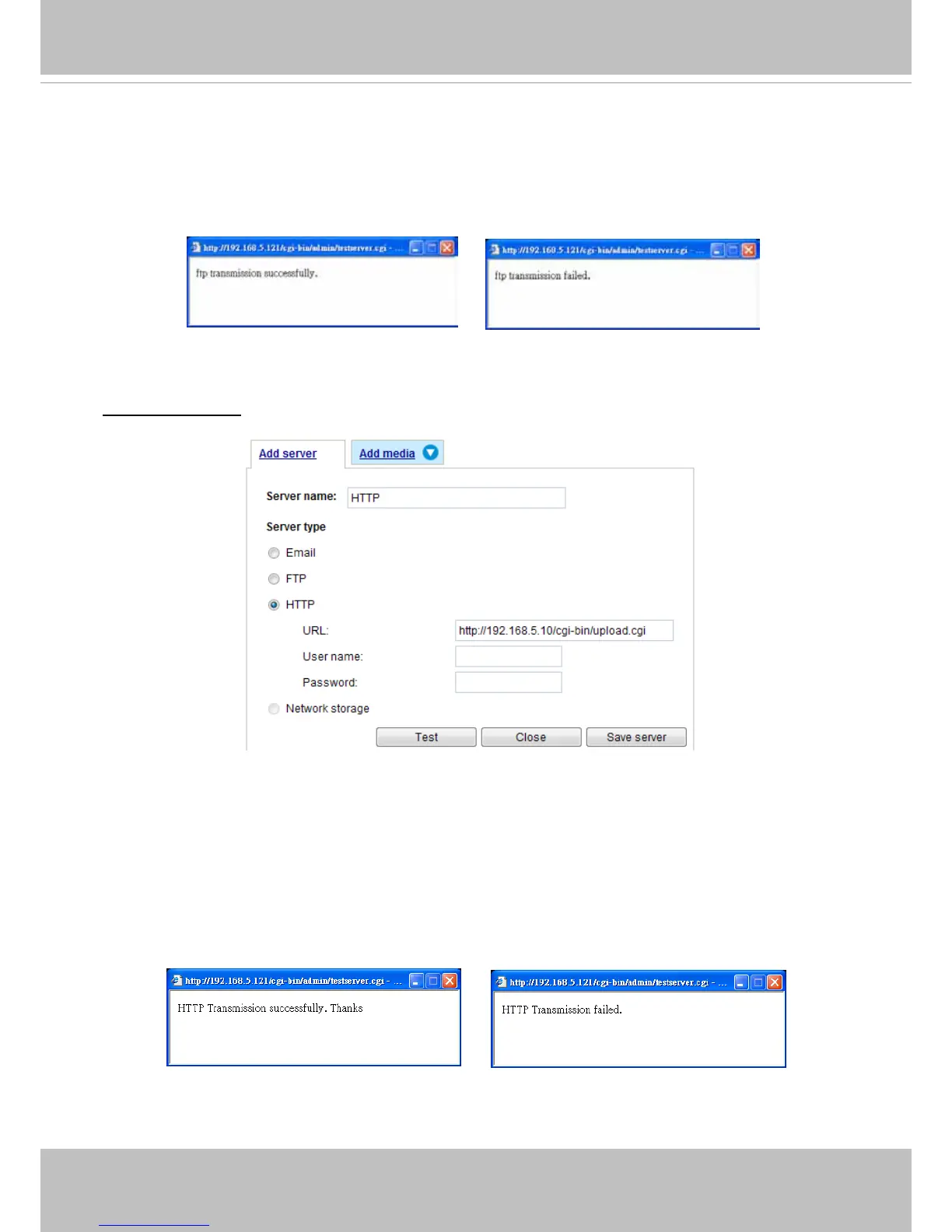
Server type - HTTP
Select to send the media les to an HTTP server when a trigger is activated.
■ Server name: Enter a name for the server setting.
■ URL: Enter the URL of the HTTP server.
■ User name: Enter the user name if necessary.
■ Password: Enter the password if necessary.
To verify if the HTTP settings are correctly congured, click
Test
. The result will be shown in a pop-up
window as below. If successful, you will receive a test.txt le on the HTTP server.
Click
Save
server
to enable the settings and click
Close
to exit the Add server page.



 To Next Page