VIVOTEK
10 - User's Manual
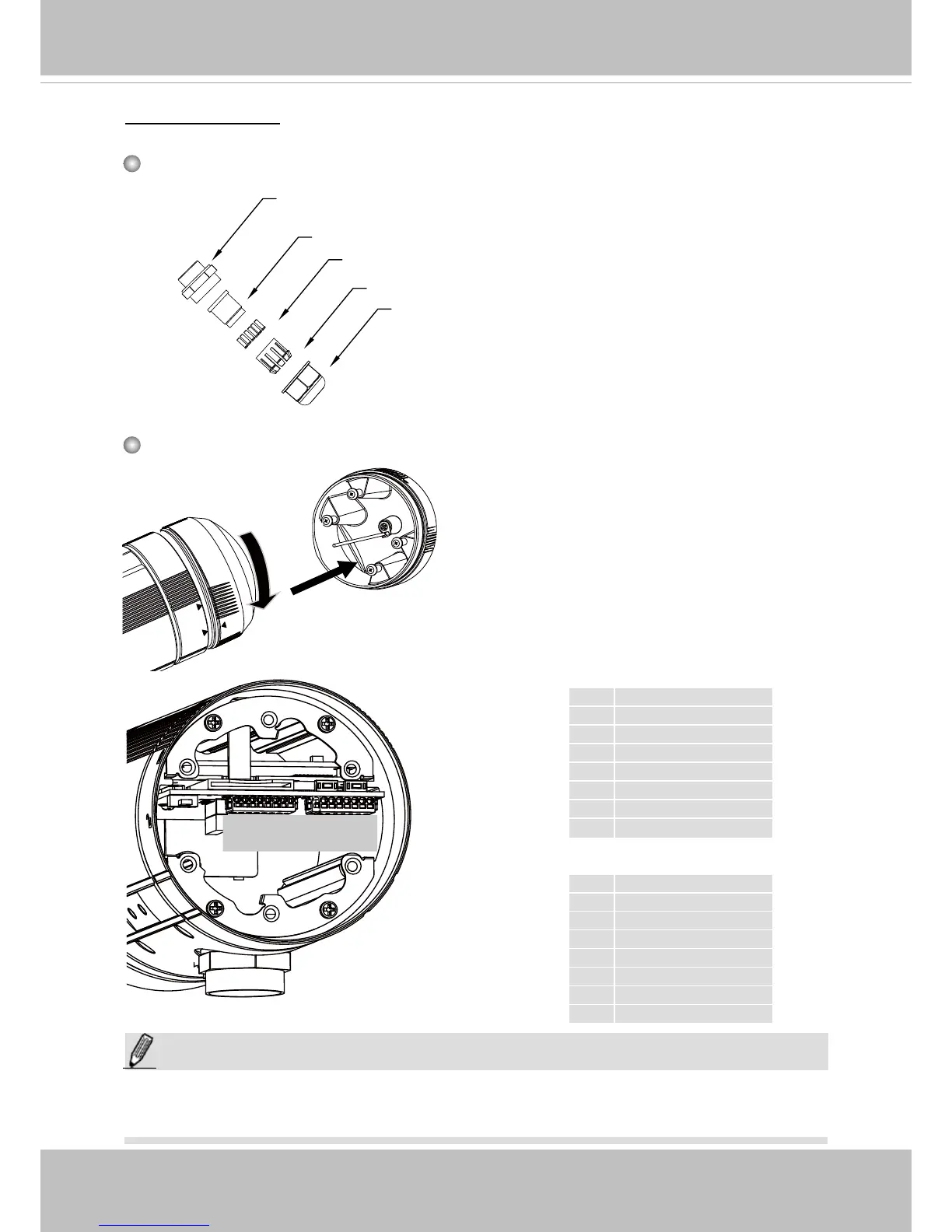
Waterproof Connector
1 DO+ (12V)
2 Digital Output
3 Digital Input 1
4 Ground
5 Digital Input 2
6 Ground
7 TV Out +
8 TV Out -
1
J3
J6
1
8
1
8
Components of the Waterproof Connector
Seals (C)
Housing (D)
Sealing Nut (E)
Seal (B)
Screw Nut (A)
Pin Denitions
J3
1 Ext. MIC
2 Audio Ground
3 Audio Line out
4 Audio Ground
5 Ground
6 DC 12V+
7 AC24V-
8 AC24V+
J6
NOTE:
In addition to PoE (Power over Ethernet), you can also supply power to the camera using
pins #5~#8 from the terminal block J6, either using DC 12V or AC24V.
Fix
Align
Open the rear cover by rotating to the
alignment mark, and pull the cover off the
canister.



 To Next Page