VIVOTEK
54 - User's Manual
Media > Video
FOV (Field of View)
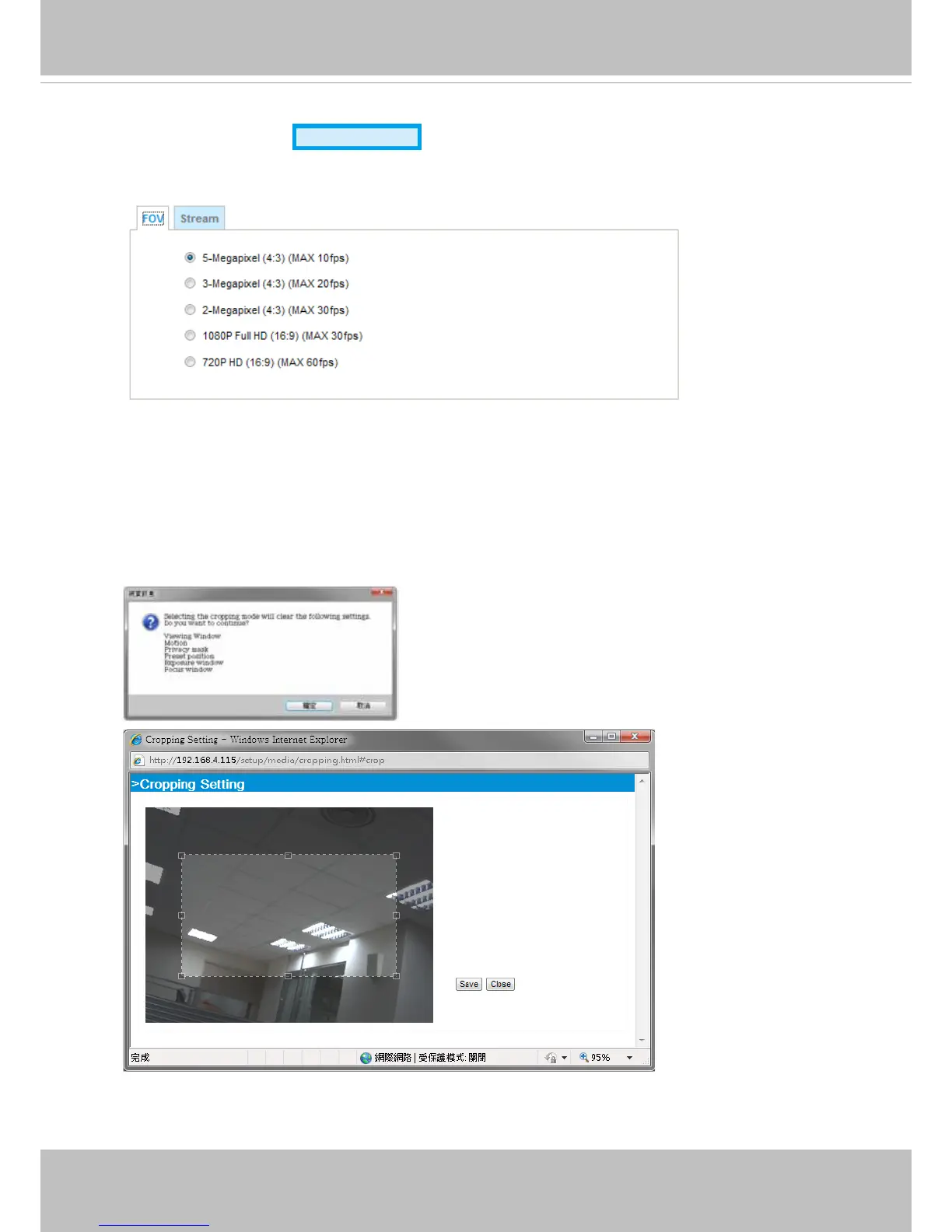
Select a resolution from the list. The default is 5 Megapixels, and if bandwidth or frame rate per
second is of the concern you can select a lower resolution. The congurable options are: 5MP (4:3)
at 10fps, 3MP (4:3) 20fps, 2MP (4:3) 30fps, 1080P (16:9) 30fps, and 720P (16:9) at 60fps.
Cropping Setting:
When you select a resolution other than the default maximum 5MP, a Cropping Setting window will
prompt. You then need to place the cropped window on a place of your interest by dragging it over
the eld of view. Note that you CAN NOT enlarge or shrink the cropping window. When done with
selecting the eld of view, click Save to preserve your setting and click Close to end the process.
Advanced Mode
Note that the changes in cropping setting will erase
the previous setting with Viewing window, motion
detection, privacy mask, preset positions, etc.



 To Next Page