VIVOTEK
User's Manual - 113
The alarm trigger includes: motion detection and DI detection. Please refer to Event Settings on page 95.
■ Pre-event recording and post-event recording
The Network Camera has a buffer area; it temporarily holds data up to a certain limit. Enter a number
to decide the duration of recording before and after a trigger is activated.
■ Priority: Select the relative importance of this recording (High, Normal, or Low). Recording with a higher
priority setting will be executed rst.
■ Source: Select a video stream as the source of recording.
NOTE
► To enable recording notication please congure Event settings rst . Please refer to page 95.
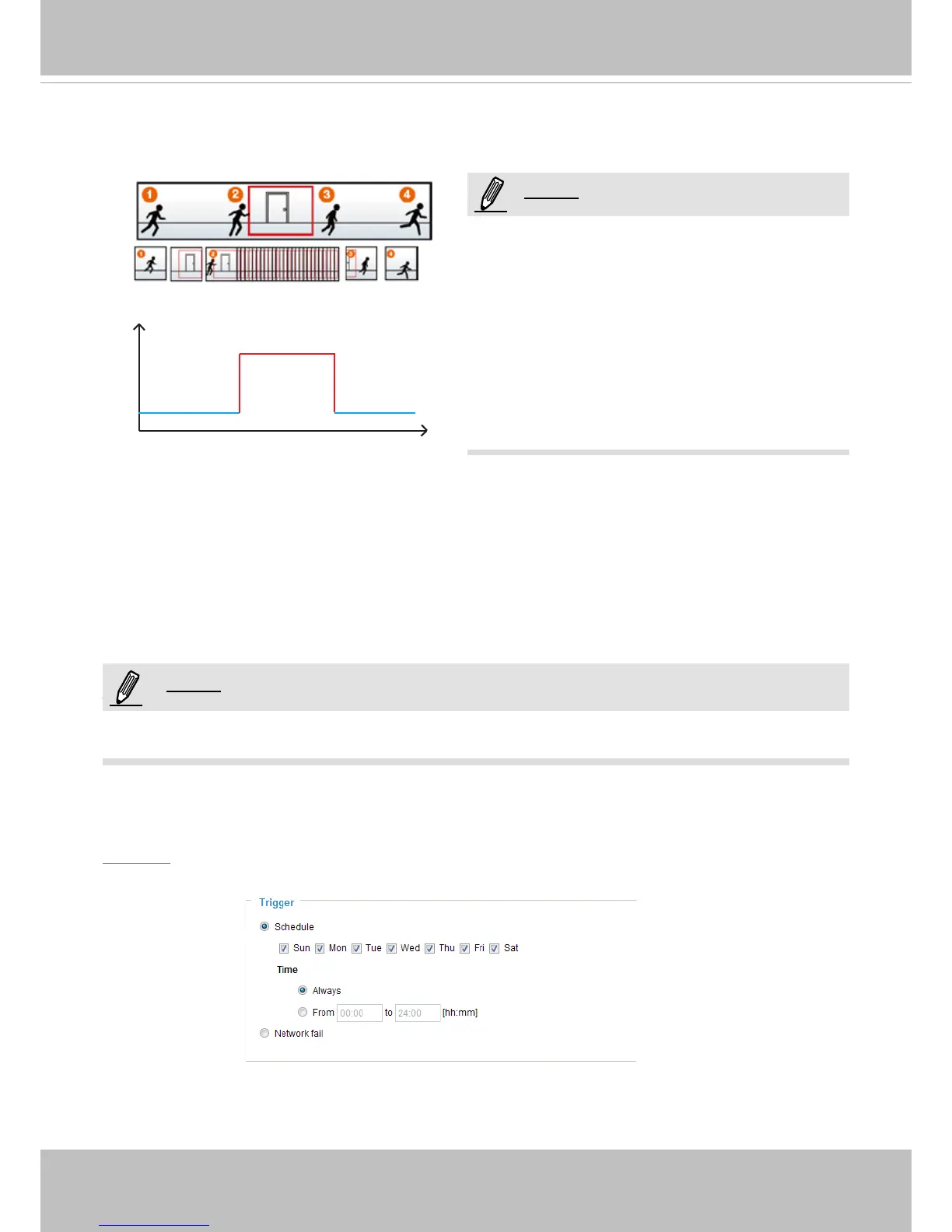
If you enable adaptive recording and enable time-shift cache stream on Camera A, only when an event
is triggered on Camera A will the server record the full frame rate video stream; otherwise, it will only
request the I frame data during normal monitoring, thus effectively save bandwidths and storage.
Time
Bandwidth
Bandwidth
Activity Adaptive Streaming
for Dynamic Frame Rate Control
I frame ---> Full frame rate ---> I frame
Continuous recording
NOTE
► To enable adaptive recording, please make sure
you’ve set up the trigger source such as Motion
Detection, DI Device, or Manual Trigger.
► When there is no alarm trigger:
- JPEG mode: record 1 frame per second.
- H.264 mode: record I frame only.
- MPEG-4 mode: record the I frame only.
► When the I frame period is >1s on Video settings
page, firmware will force decrease the I frame
period to 1s when adaptive recording is enabled.
Please follow the steps below to set up the recording.
1. Trigger
Select a trigger source.
■ Schedule: The server will start to record les on the local storage or network storage (NAS).
■ Network fail: In the event of network failure, the server will start to record les to the local storage (SD
card).
NOTE:
NOTE:



 To Next Page