VIVOTEK
118 - User's Manual
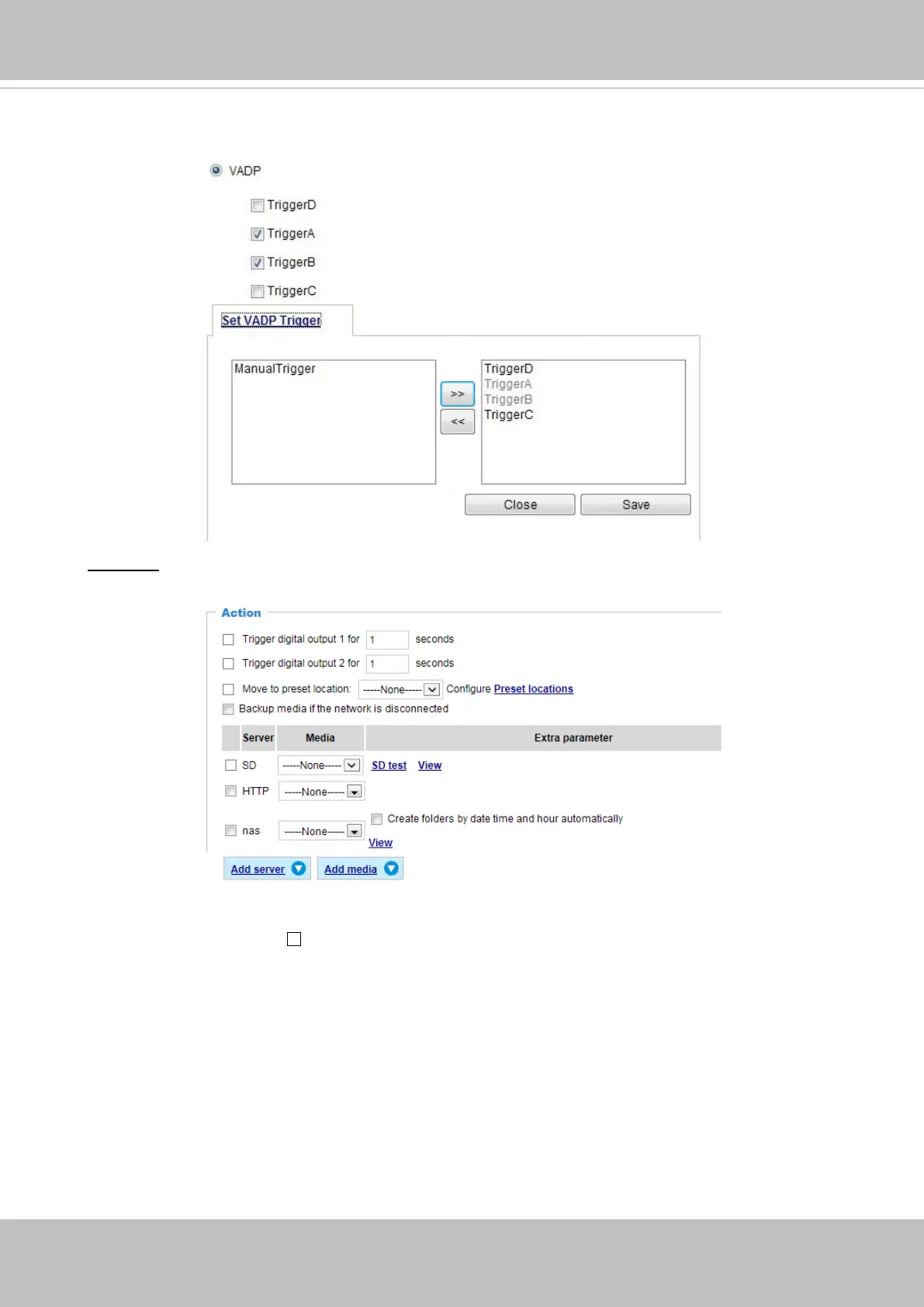
3. Action
Dene the actions to be performed by the Network Camera when a trigger is activated.
■ Trigger digital output for
seconds
Select this option to turn on the external digital output device when a trigger is activated. Specify
the length of the trigger interval in the text box.
Once the triggers are congured, they will be listed under the VADP option.



 To Next Page