VIVOTEK
User's Manual - 9
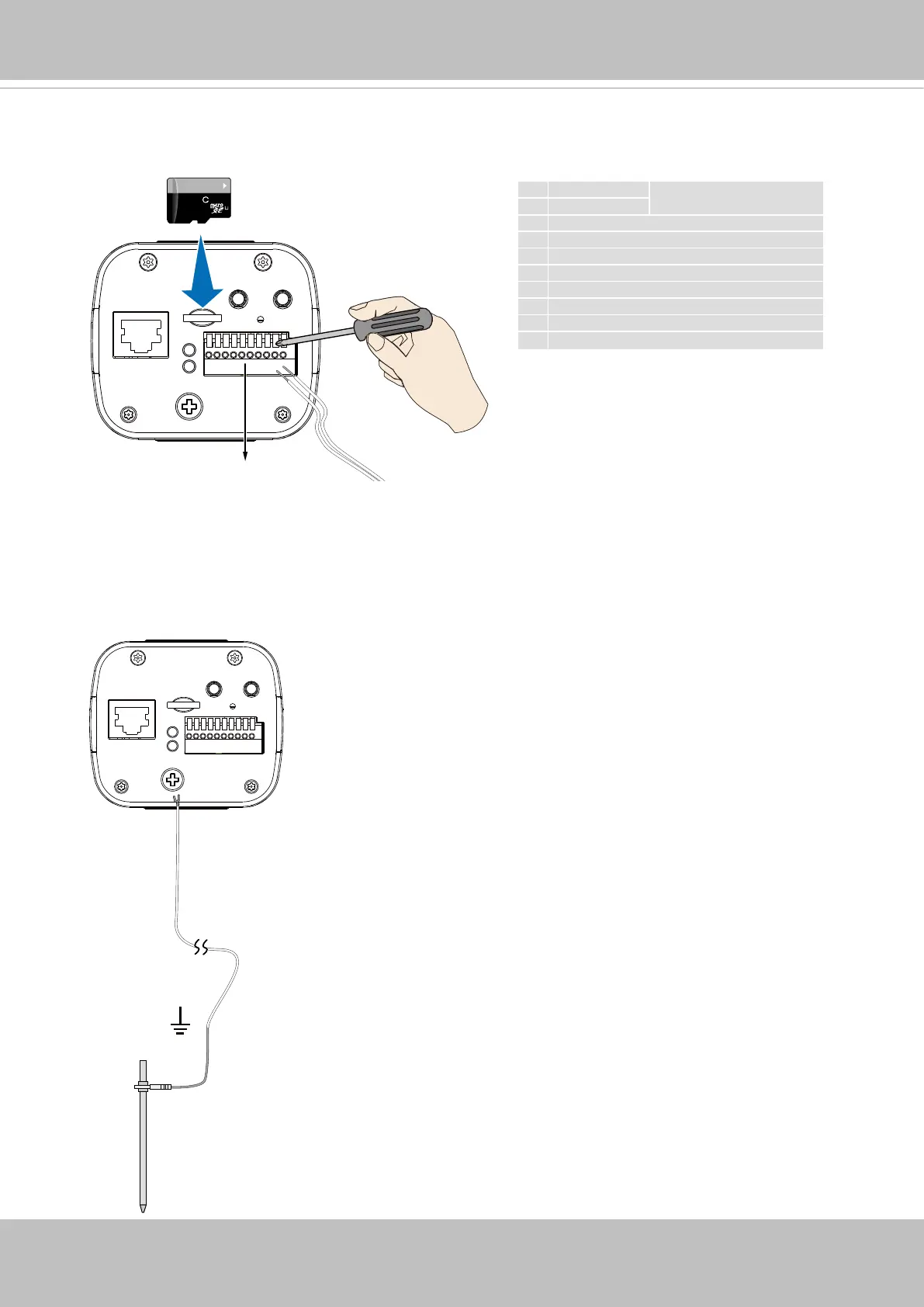
6. Install a MicroSD card, and, if preferred, connect DI/DO wires to the terminal block.
The DO pin can provide a 5V output, and the max. load is 50mA.
Connect the ground wire to a grounded earth rod with a resistance smaller than 4Ω, thicker
than 20AWG, to a ground rod 1.5 meters into the ground.
The grounding wire is user-supplied.
64GB
10
I
1
12345678910
1 DC pw-
12V
2 DC pw+
3 RS485+
4 RS485-
5 DI- (common GND for all DIs)
6 DI2+
7 DI1+
8 DO2-
9 DO1-
10 DO+ (5V)
Pin 1 is on the left.



 To Next Page