9
English
For further setup, please refer to the user's manual on the software CD.
2011/04/01 17:29:41
Ready to Use
6
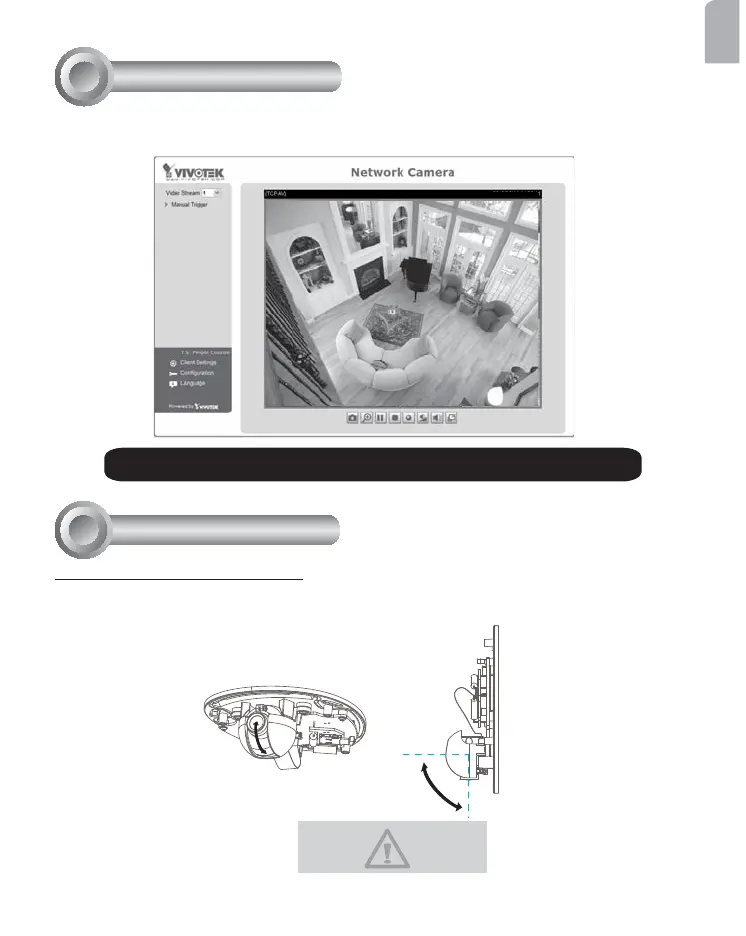
1. Access the Network Camera on the LAN.
2. Retrieve live video through a web browser or recording software.
To adjust the viewing angle
Adjust the lens to a desired viewing angle as the diagram shown below.
90°
Adjusting the Lens
7
DO NOT over rotate the lens. Doing
so will damage the camera lens
module.





 To Next Page